
Rep company and CVB users have the ability to manage your portfolio of the properties you represent.
This article will cover the following topics:
Select Suppliers and Portfolio from the left side toolbar to view the listing of your properties. Use the Search feature to filter the list by property name or location.
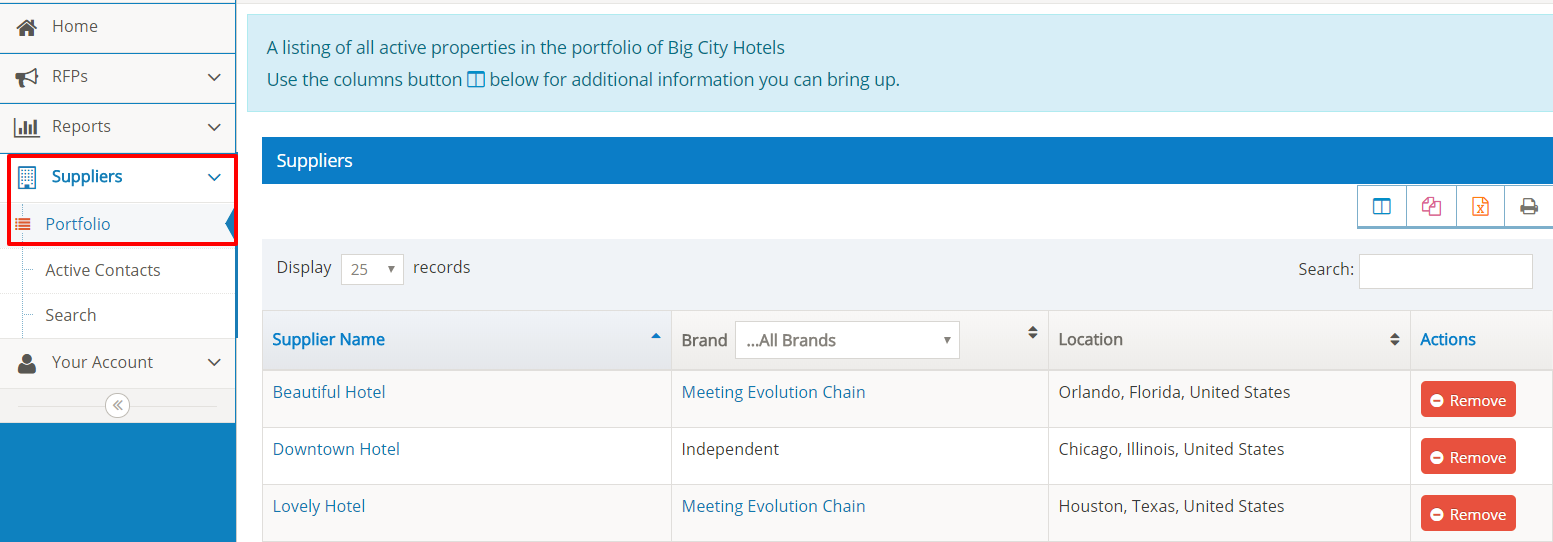
Select the Property Name to view the supplier profile.
Add a Property to Your Portfolio
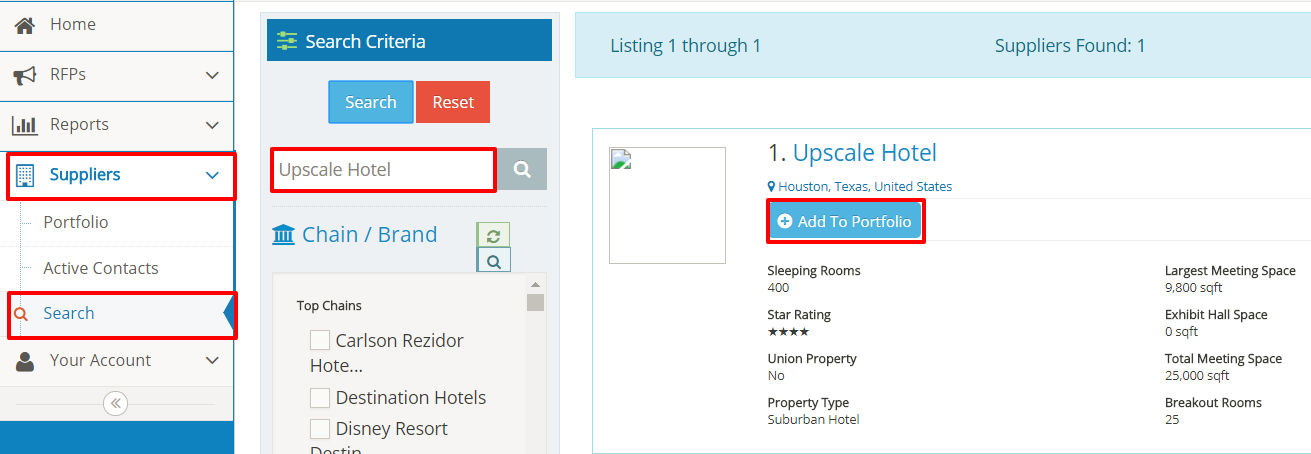
Select Suppliers and Search from the left side toolbar to access the Supplier Search feature. You can search by Supplier Name, Address, Chain/Brand, Location, or other property criteria to find additional suppliers.
Use the Add to Portfolio button to add the property to your listing.
Remove a Property from Your Portfolio
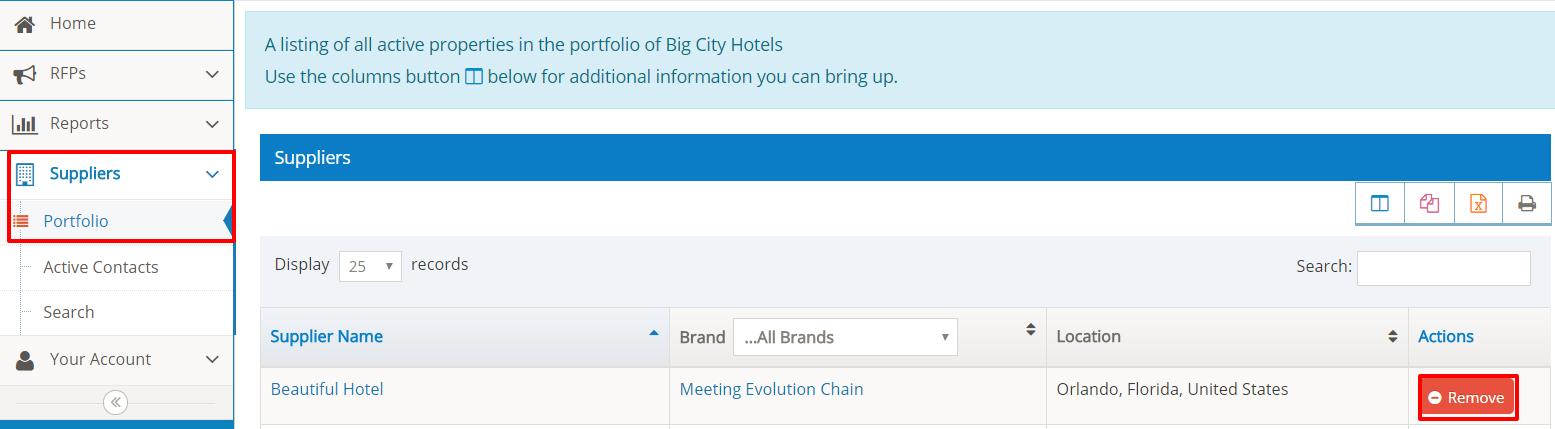
Select Suppliers and Portfolio from the left side toolbar to view the listing of your properties. Use the Search feature to search by property name or location.
Select the Remove Button to remove the property from your portfolio.
You will be prompted to confirm the update - select Okay to proceed.
Comments
0 comments
Article is closed for comments.