
Meeting Evolution provides the Rep Company or CVB user with access to all RFPs that were sourced through your company. The toolbar on the left side of the page provides access to the following information:
- Active RFP Listing
- Space Hold Listing
- RFPS with Updates from the Planner
- Suggest Additional Properties
- Awarded RFPs
The Active RFP Listing shows all current RFPs for your properties in order of date received. Select the RFP Name to view details. Use the Search feature to search by RFP name or RFP number.
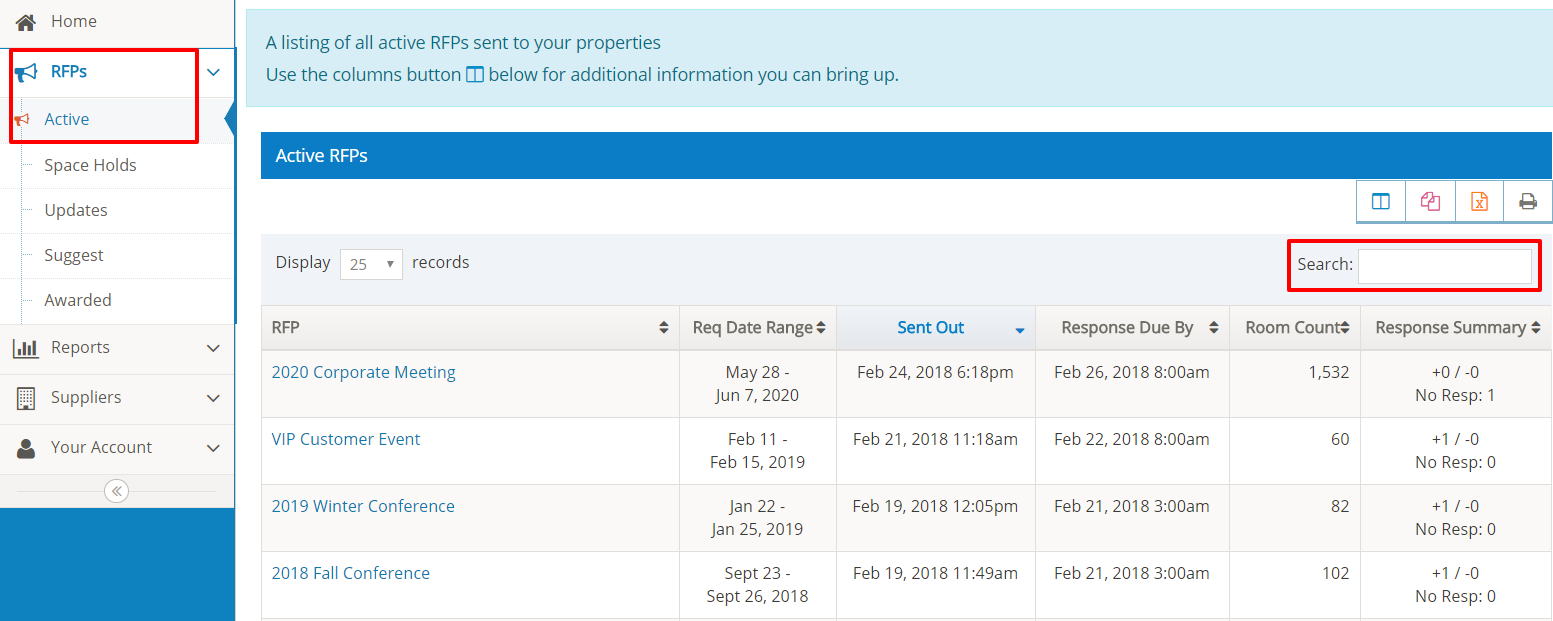
Refer to Viewing the RFP for additional information.
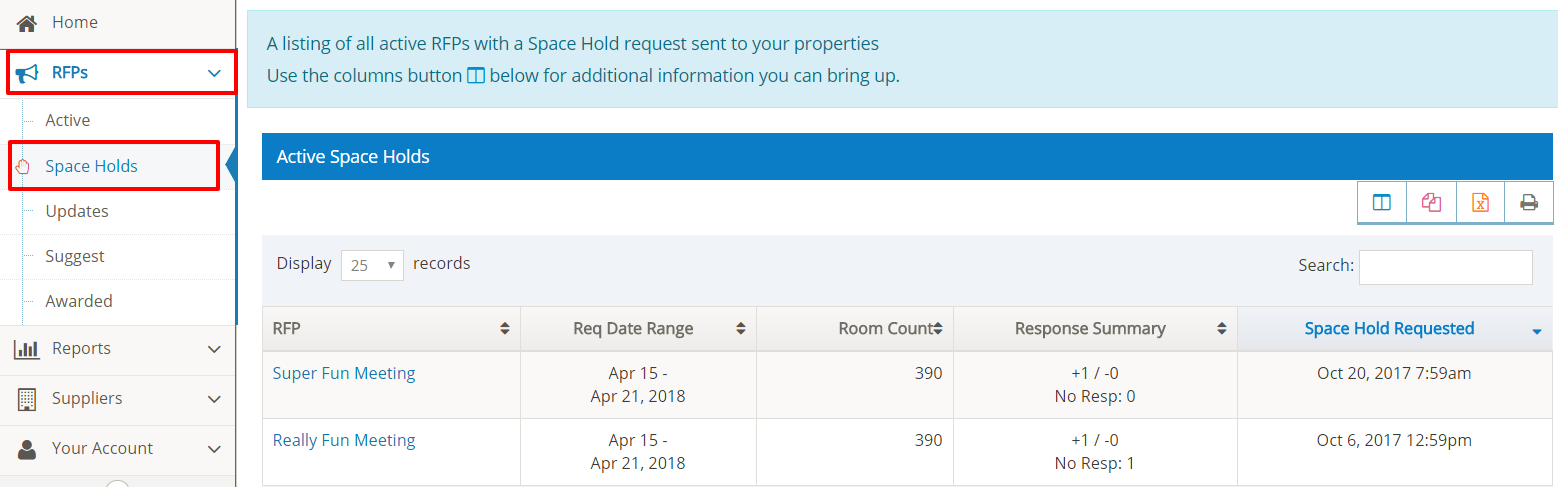
Meeting Evolution allows the planner to narrow down their initial RFP responses and send a Space Hold request to selected properties. The Space Hold request includes a detailed breakdown of the room block, meeting room assignments for each function and questions specific to the dates and space on hold.
Select the RFP Name to view the completed Space Hold.
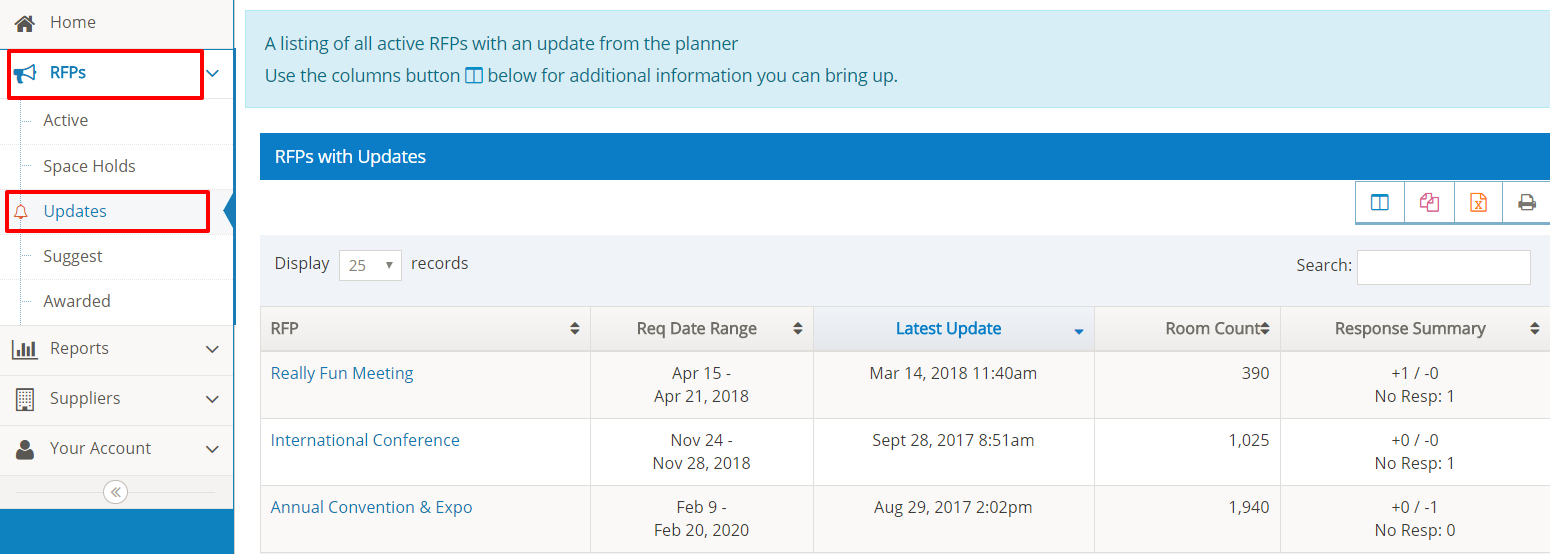
Select Updates to view a listing of RFPs with status updates from the planner.
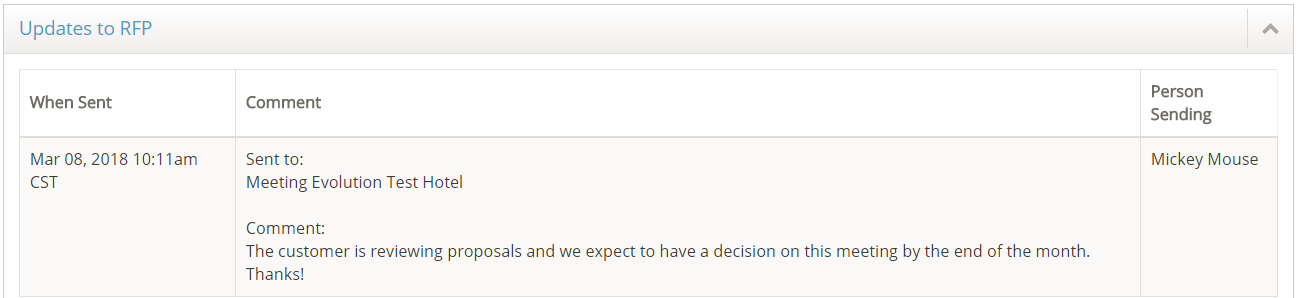
Select the RFP Name to view the update. These notification emails are also sent to all suppliers who responded to the RFP.
**Note: This feature must be enabled by the planner**
The Suggest listing shows RFPs where the planner allows the Rep Company or CVB to add or suggest additional properties for the RFP.
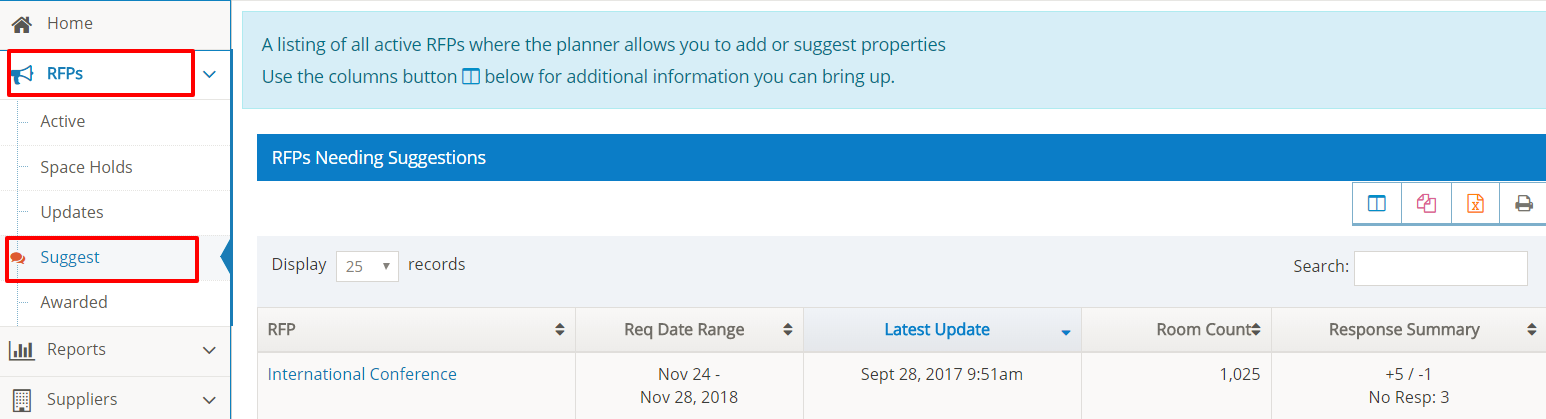
Select the RFP Name to proceed. Refer to Suggest Suppliers for an RFP for more information.
Select Awarded to view a listing of all RFPs awarded within the past 90 days.
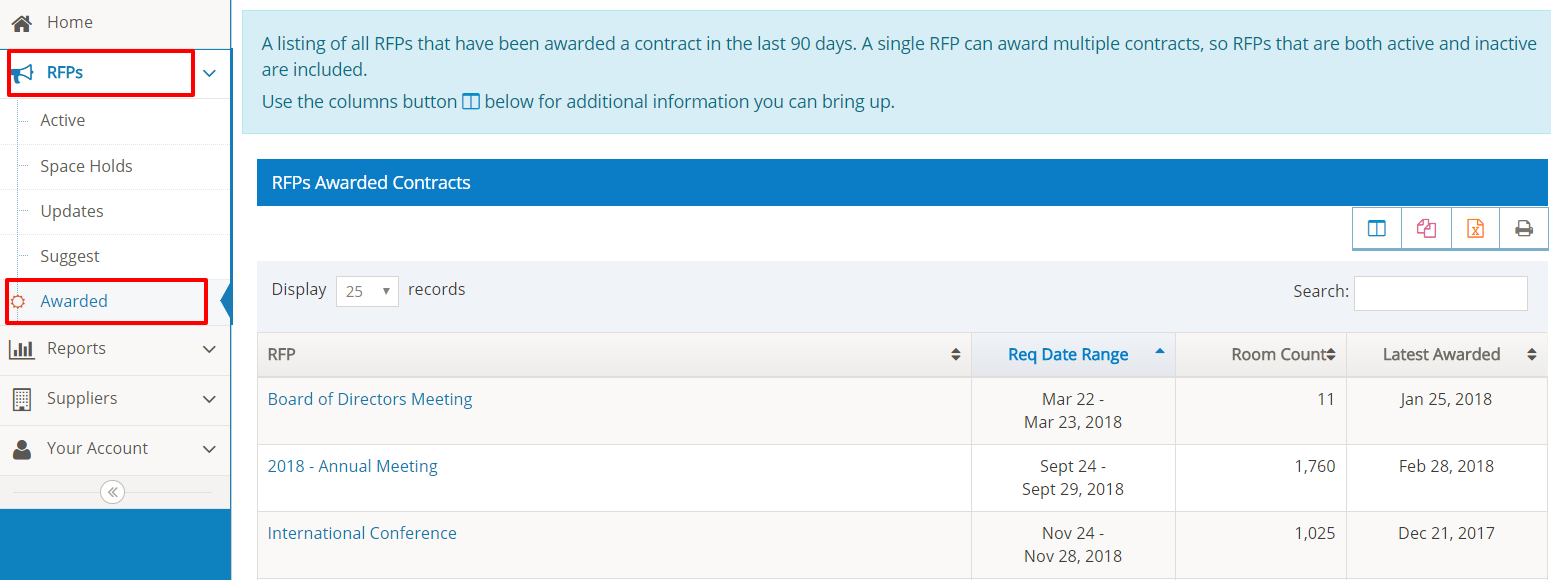
Select the RFP Name to view the notification message. Please note the planner may choose not to disclose the name of the contracted property and/or the reason for their decision.
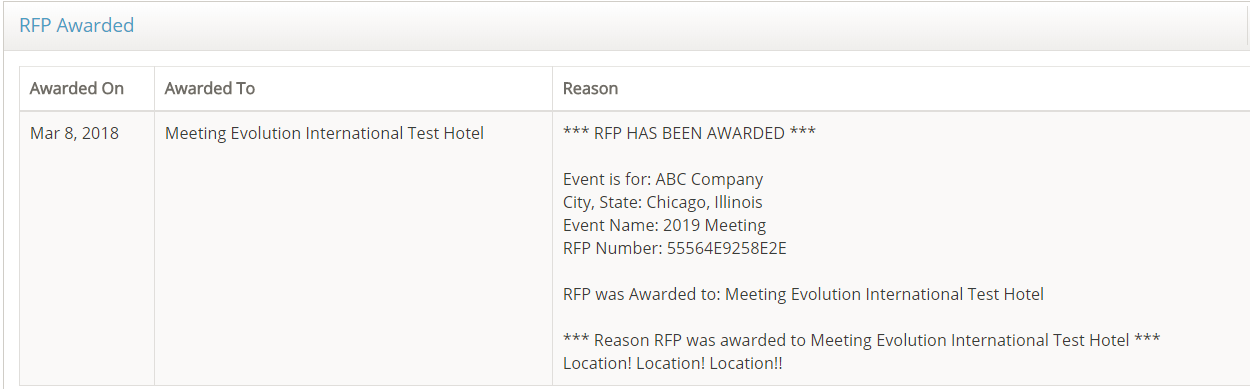
For RFPs awarded more than 90 days ago, search for the RFP by name or by RFP number using the Search feature on the home page.
Comments
0 comments
Article is closed for comments.