
This article will discuss how to setup Payment Options.
Payment Options
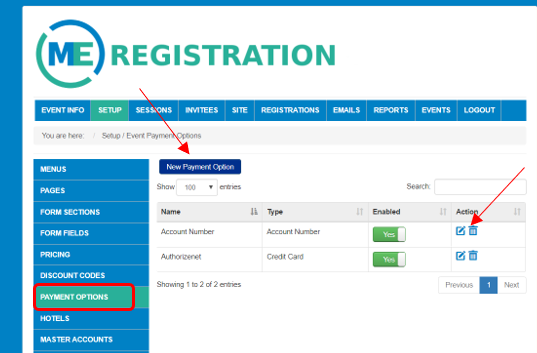
To setup Payment Types, go to Setup-Payment Options. For existing Payment Options, you have the ability to disable by using the toggle button under Enabled. You can edit or delete existing by using the icons under Actions. To create a new Payment Option, click New Payment Option.
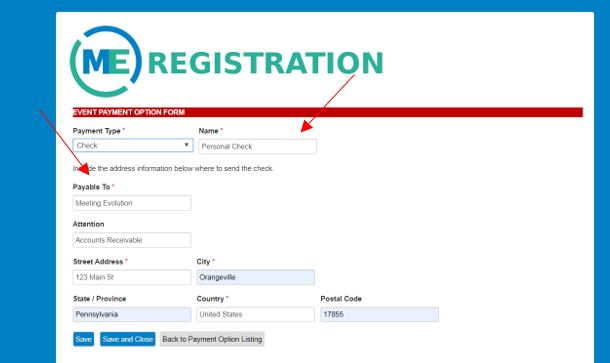
Select the Payment Type from the drop down. Give your Payment Option a Name. Depending on what payment type you use, other information may appear to fill out. If selecting Account Number, only a payment name is needed. If selecting a Credit Card, you will need to select what processor. If selecting a Check, you will need to fill out payable information as seen below. This will be made available to the registrant so they know whom and where to send the check.
Related article: Setting up Registration Types
Related article: Setting up Discount Codes
Comments
0 comments
Article is closed for comments.