
The Supplier Chains Report shows the volume of business contracted with each hotel chain.
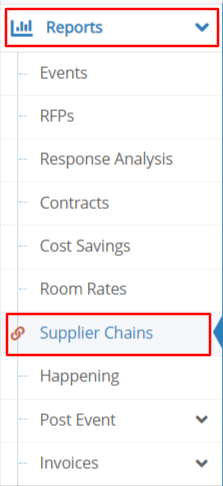 |
Select Reports and Supplier Chains from the left side toolbar.
|
Use the Chart Type options drop down to select a chart for your data.
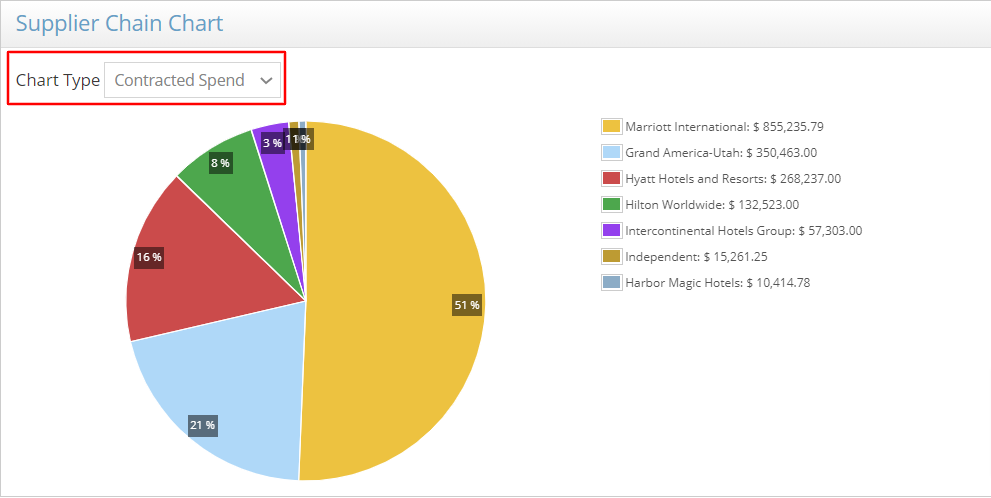
The Chains Listing report shows the volume of business contracted with each supplier chain.
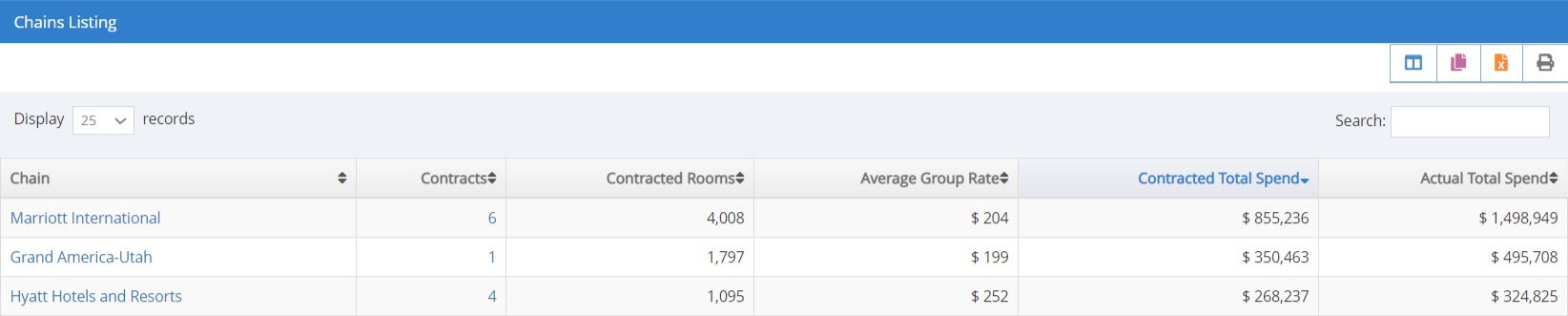
Select the Chain Name in the Chains Listing report to see the brands and properties contracted within each chain.

Select the Number of Contracts in the Chains Listing report to see the events contracted with that chain.

Use the Columns Icon to add or remove columns of information displayed in the report.
Use the Reporting Toolbar to export or print your report.
Refer to Customize, Download or Print Your Report for more information.
Comments
0 comments
Article is closed for comments.