
After you submit the response in Meeting Evolution, you will not be able to access the RFP via the response link. This is for your security to prevent others from viewing or editing your response.
You will need to log in to Meeting Evolution to view or edit your response. Your confirmation email contained the username and password information.
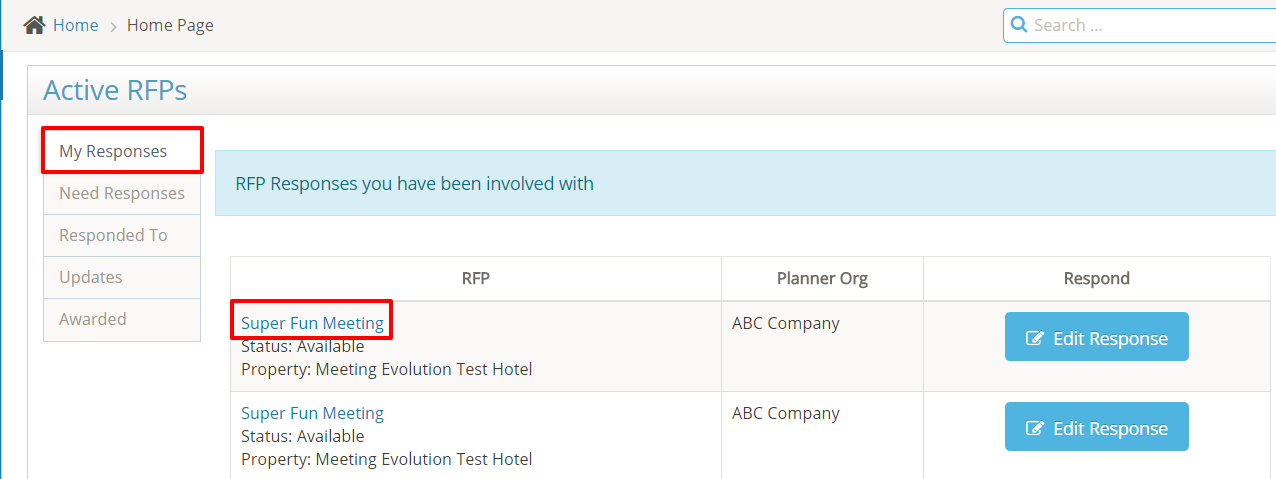
Your RFP responses will be on the home page in the My Responses tab. Select the name of the RFP.
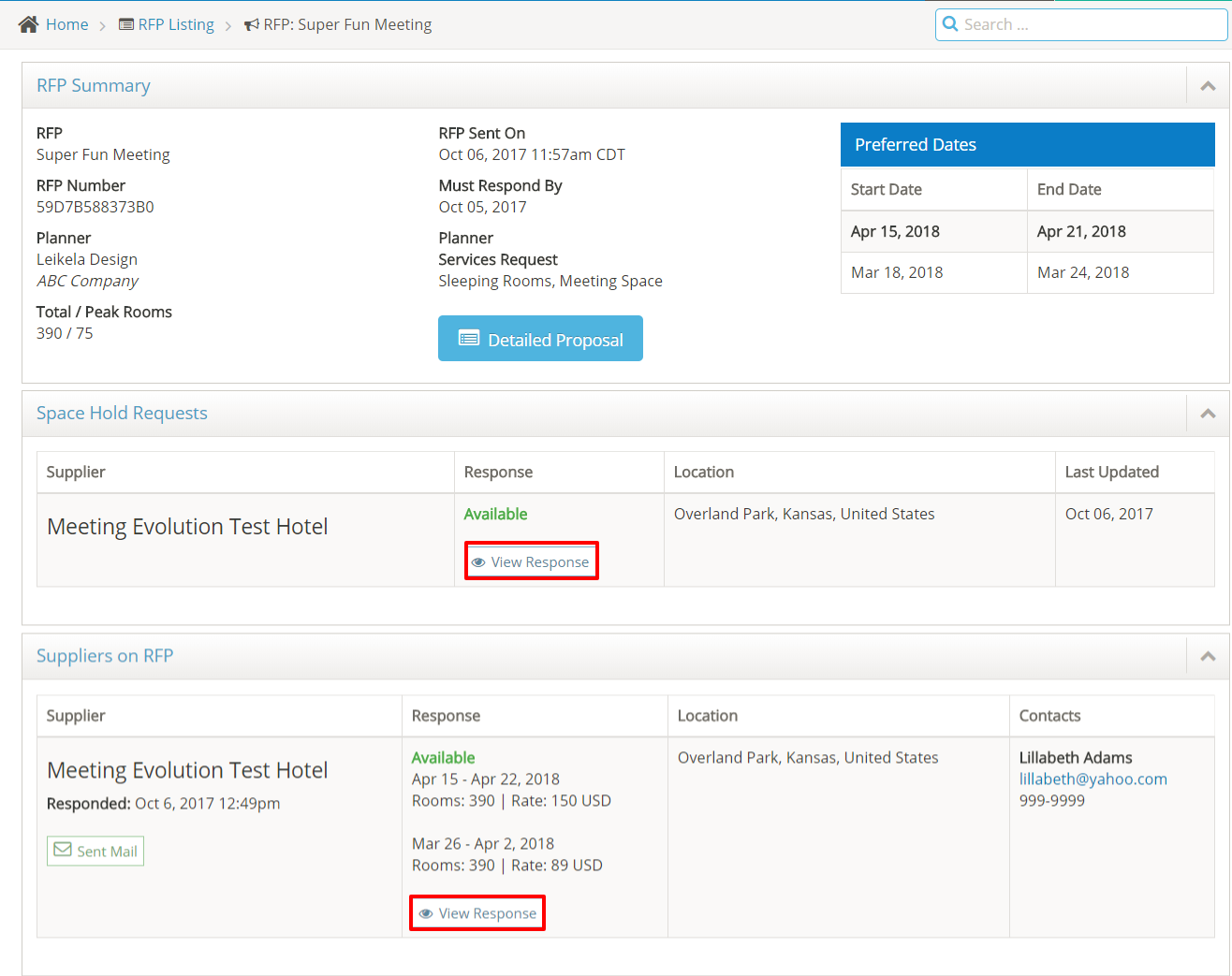
Select View Response in the Suppliers on RFP section to view the details of your response.
If a spacehold request is completed with meeting room assignments, you can also view the spacehold response.
See How to Edit an RFP Response if you need to update your response.
Comments
0 comments
Article is closed for comments.