
There are times when either a forwarded email or the server used to send an email, causes an RFP link to break. Meeting Evolution suggests doing one of three things:
1. COPY/PASTE: If you are clicking directly onto the link in the body of the email or you have forwarded the email onto a hotelier and they are not able to click on the link, we advise that instead copy/paste the link into the internet browser and hit ENTER to see if it will work.

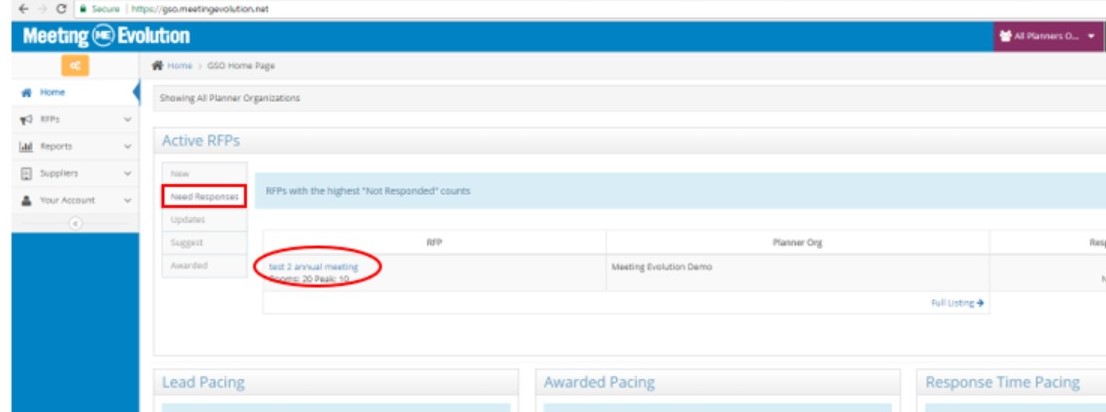
2. LOG IN TO RETRIEVE OR SEND CORRECT LINK: If you been created as a user in Meeting Evolution, then you can log-in at https://rep.meetingevolution.net/login/. The NEW RFP responses will be on your home page. You can select the Need Responses tab below in RED, which shows RFPs with the highest "Not Responded" counts. Locate the RFP meeting name and click on the RFP name.
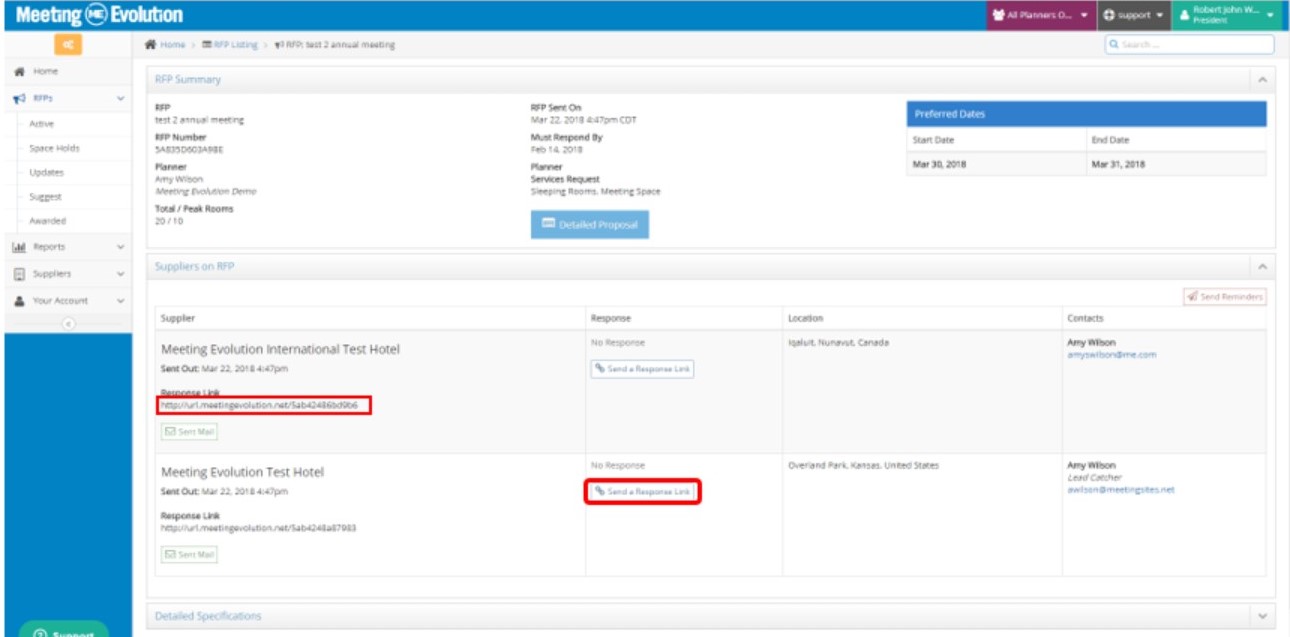
In the below section "SUPPLIERS on RFP" bar (maximize by clicking the "down arrow" on the right hand side): This will show the hotels on the RFP, within this information is the RFP link to respond to the RFP, you can either copy and paste it here or click on the SEND A RESPONSE LINK to the hotel contact that needs to respond to the RFP. Refer to the article Send Reminders or Response Links for additional assistance.
3. CONTACT US: Email support@meetingevolution.net and ask for assistance with the RFP link. Please provide the name of the meeting and the property that is trying to respond. We are always happy to send you a corrected link or provide log-in credentials to respond to an RFP in a timely manner.
Comments
0 comments
Article is closed for comments.