
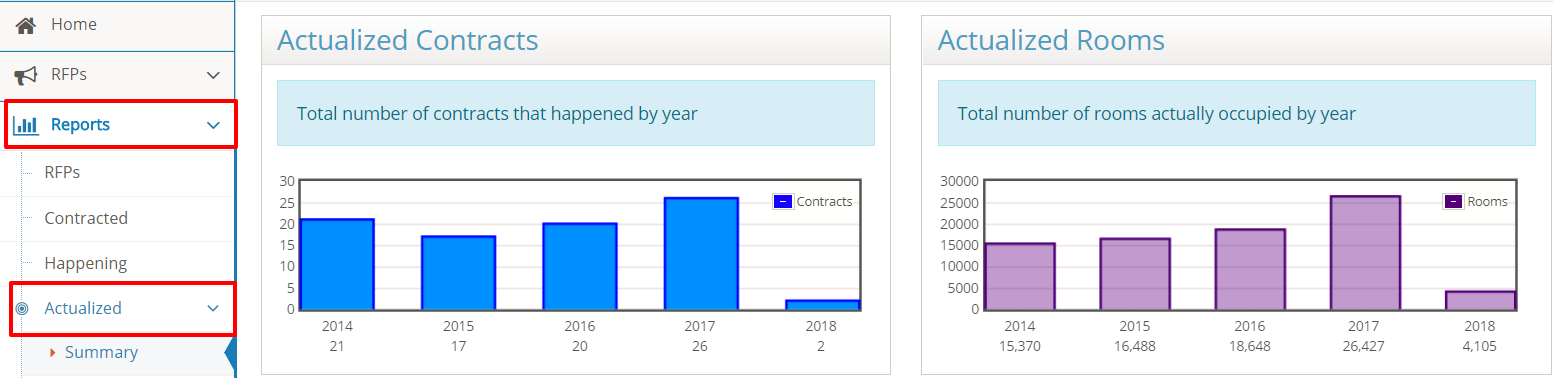
Global Sales Office users have access to volume of business reporting for all of their properties. The following reports are available on the Actualized Contracts page by selecting Reports from the toolbar and Actualized - Summary from the Reports Menu:
Note: the post event room pick-up needs to be completed in order for the event to be included in these reports.
Actualized Contracts and Actualized Room Nights
The Actualized Contracts report shows the total number of contracted events that have taken place. The Actualized Rooms report shows total number of actualized room nights. The previous four years show the annual total with a year-to-date count for the current year.
Actualized Room Spend and Room Block Pick-up
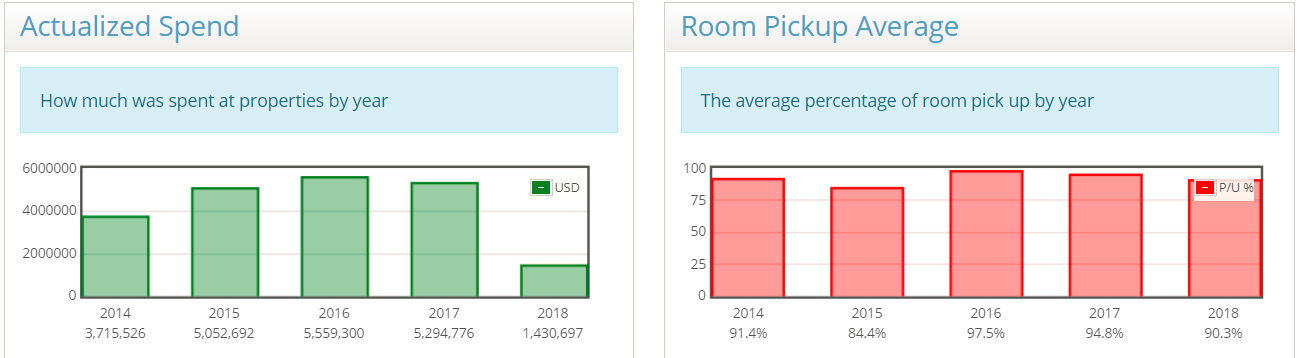
The next reports are the annual Actualized Spend and the Room Pickup Average percentage. Actualized spend includes room revenue, food and beverage, audio-visual and meeting space rental expenses.
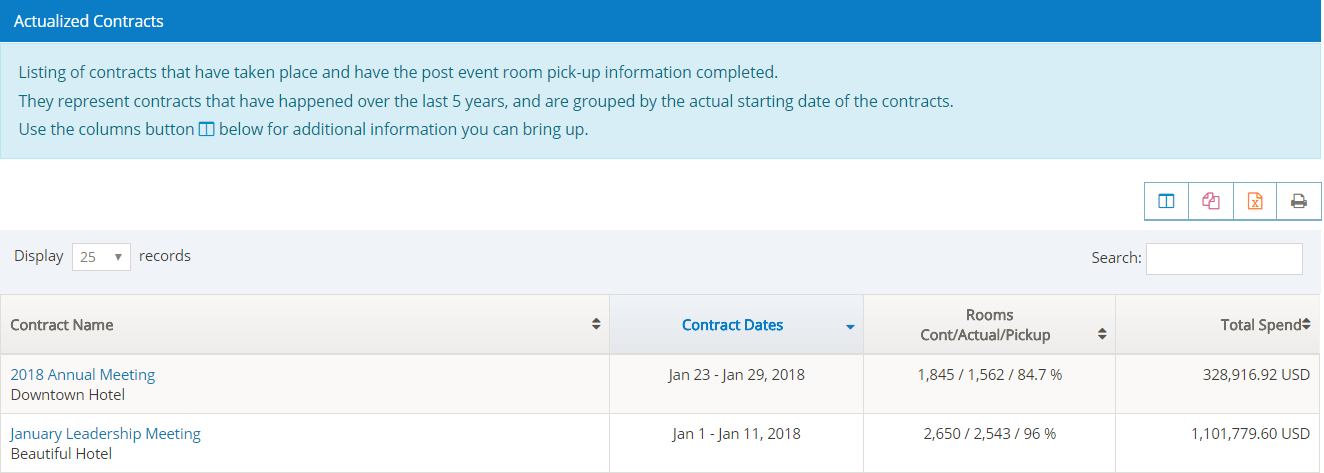
The final report on the page shows the Actualized Contracts listing for your properties. The Rooms column shows contracted rooms/actual rooms used/pick-up percentage.
Use Columns icon to customize the report by selecting or un-selecting the columns to be displayed in your report.
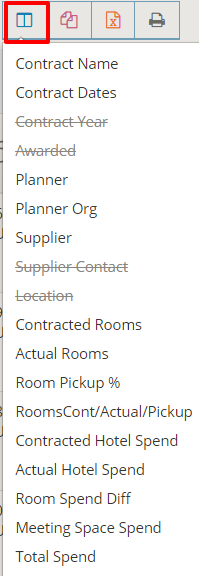
Information columns will be added or removed from the screen to customize your report view.
Comments
0 comments
Article is closed for comments.