
Instructions for creating a contract when using the supplier's contract.
From the home page, locate the RFP and select Responses to reach the Proposals tab.
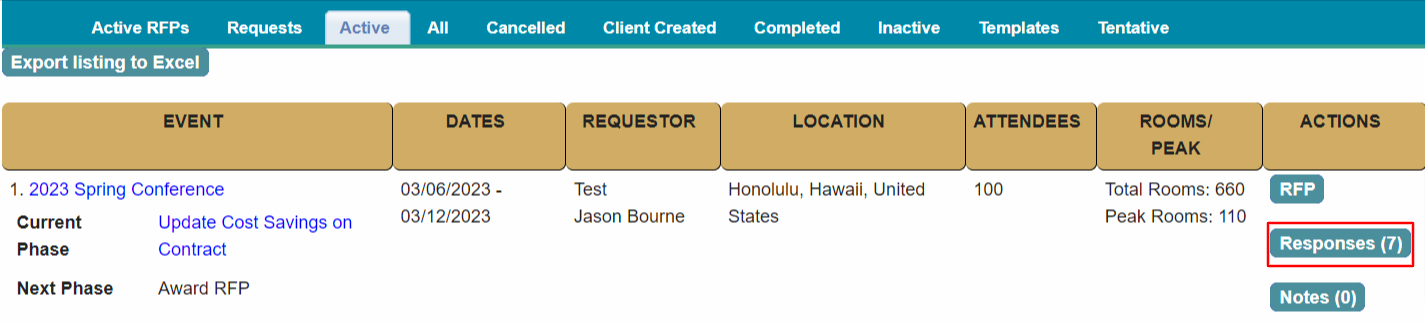
Locate the hotel on the Proposals listing.
Click on the + sign for the hotel and select Create Contract.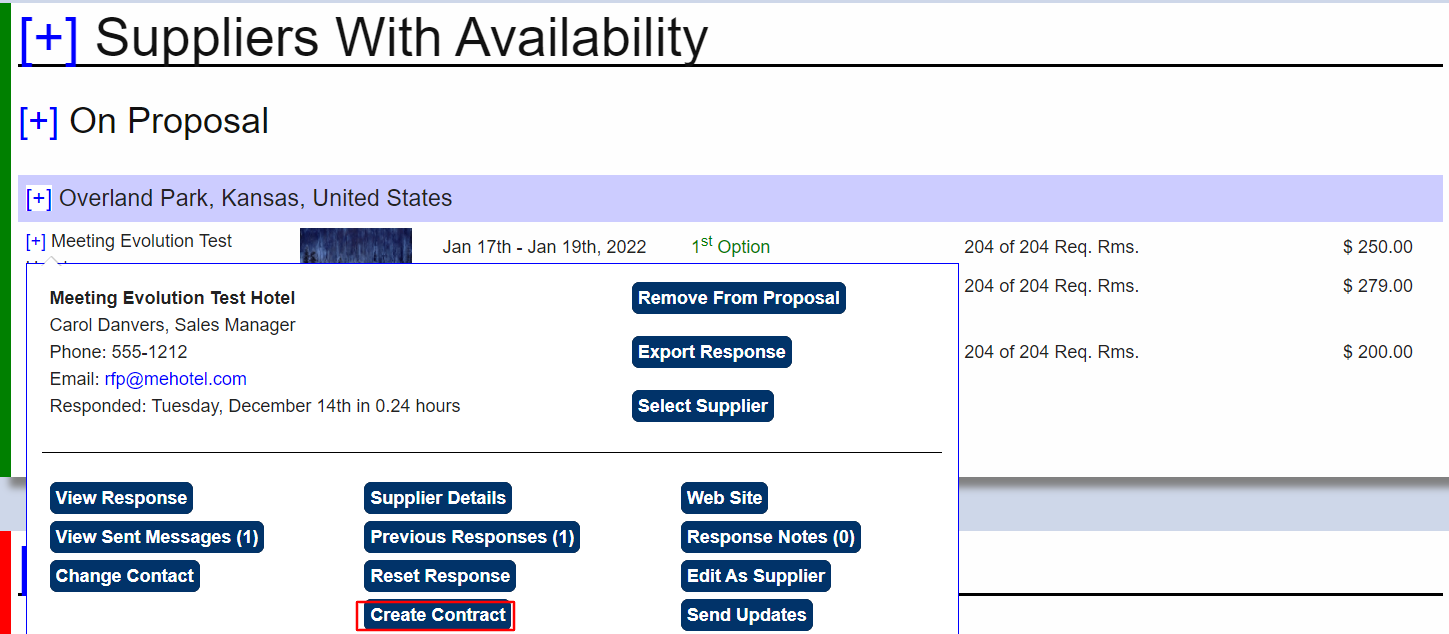
Select Dates and Contract
If the response has multiple dates available, select the date you are contracting.
Select Manual Contract when you are not using a contract template.
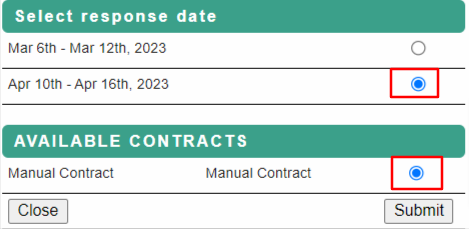
Contract Dates
You will be directed to the Contract – Dates tab.
Adjust dates if needed and submit.

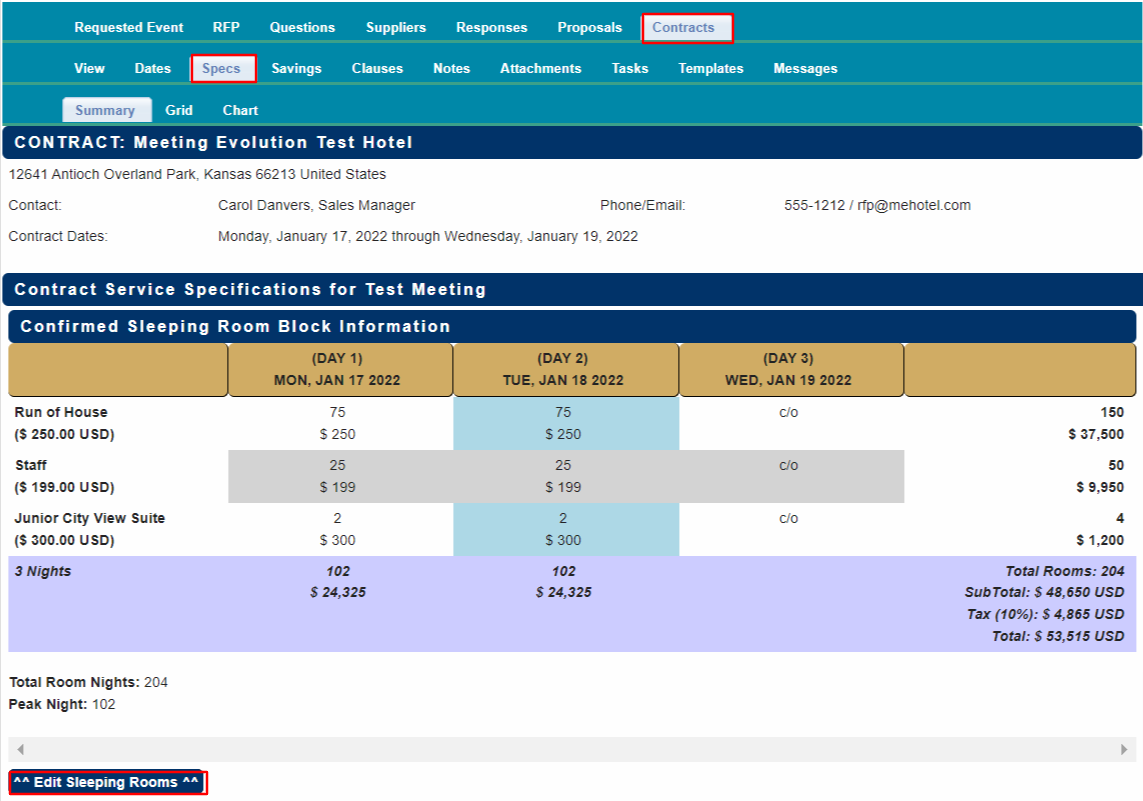
Review Contract Specs
Select Contract – Specs to review the room block, room rates and meeting room assignments.
Select Edit Sleeping Rooms if you need to update the room block or the rates or select Edit Meeting Space (button at bottom of meeting agenda) to update the agenda or room assignments.
The Specs information here will be used in your organization's financial reporting.

Complete your contract negotiations outside of Meeting Evolution.
Proceed to Award RFP when you have a counter-signed contract.
Comments
0 comments
Article is closed for comments.