
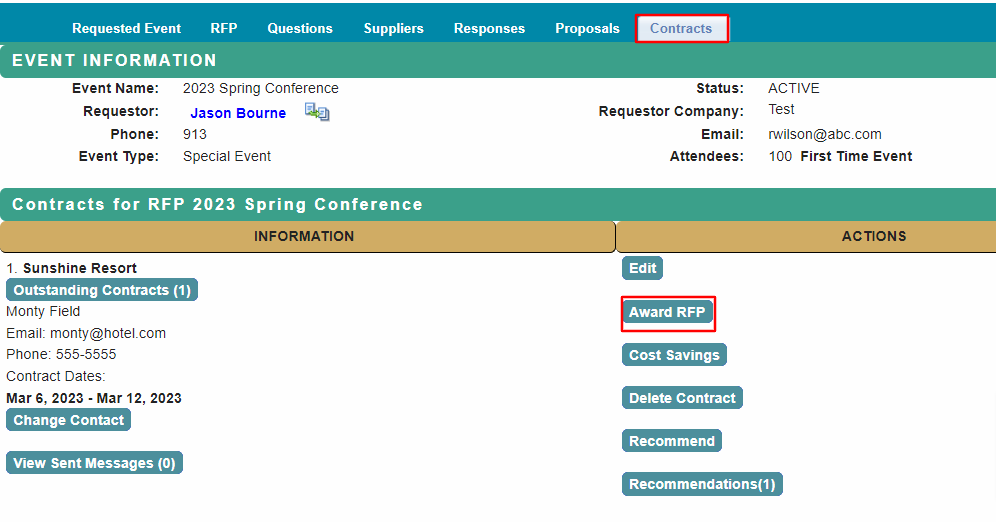
When you have a counter-signed contract, you are ready to award the RFP.
From the home page, select RFP and select the Contracts tab.
Refer to Create Contract or Create Contract with Contract Template first if you do not see the Contracts tab.
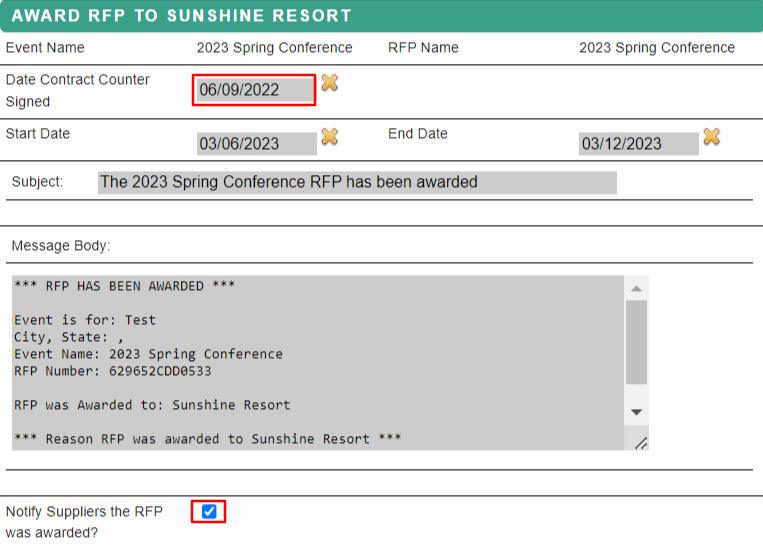
| In the Award RFP window: 1. Update Contract Counter-signed Date 2. Check or un-check box for Notify suppliers the RFP was awarded. When selected, all suppliers on the RFP will receive the notification. Update email message as needed. |
 |
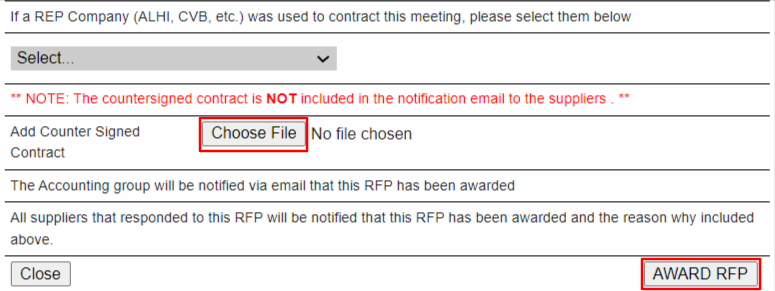
| 3. Attach Counter-signed Contract (for your records only, the contract is not sent to suppliers) 4. Select Award RFP button. |
 |
You will have the option of closing the Event.
Select YES, please close this event when you have finished awarding contracts for this event.
Select NO, do not close this event if you have additional contracts to award.
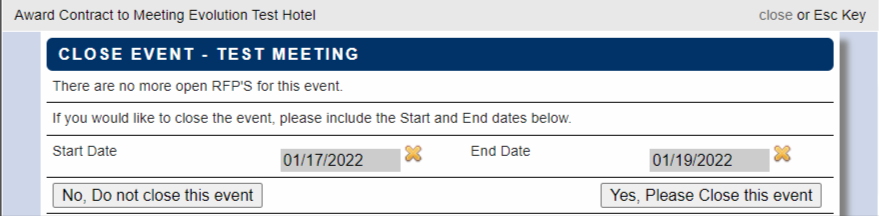
When the RFP is closed, it will be removed from your home page listing.
The contracted event can be found in the My Events -> My Confirmed Events listing.

Comments
0 comments
Article is closed for comments.