
When you log in to Meeting Evolution, you will have access to your RFP responses and all other RFPs for your property.
This article contains the following topics:
Use the Search box on the home page to search by RFP name.

Select the RFP from the listing to view details.
All Meeting Evolution RFPs will include an RFP Number in the email. Meeting Evolution uses a 13 digit ID code of letters and numbers. Use the Search box on the home page to search by RFP number.

Select the RFP by name to view details.
View all RFPs for Your Property
Select RFPs->Active from the toolbar to view a listing of all current RFPs for your property.
From this listing, you will have access to Respond to the RFP, Edit Your Response, Take over a response submitted by a colleague or finish your response.
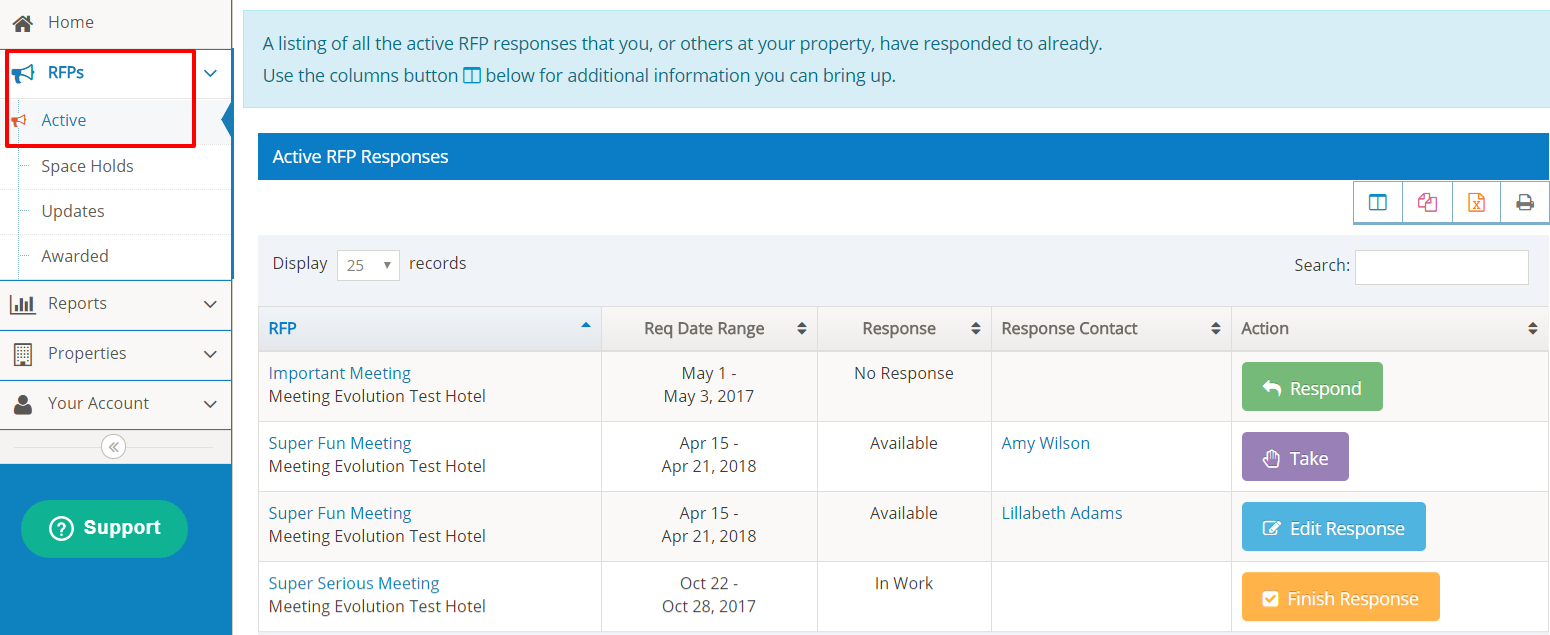
Select the RFP Name to view the details of the response and the specifications.
Refer to How Do I View My RFP Response for more information.
Comments
0 comments
Article is closed for comments.