
From the home page, locate the RFP and select Responses to reach the Proposals page.
Use the On Proposal/Off Proposal feature to manage the decision making process.
Responses that are On Proposal will be shown on the Compare Responses report and the Export.
Responses shown in gray are Off Proposal and will NOT be shown on reports or exports.
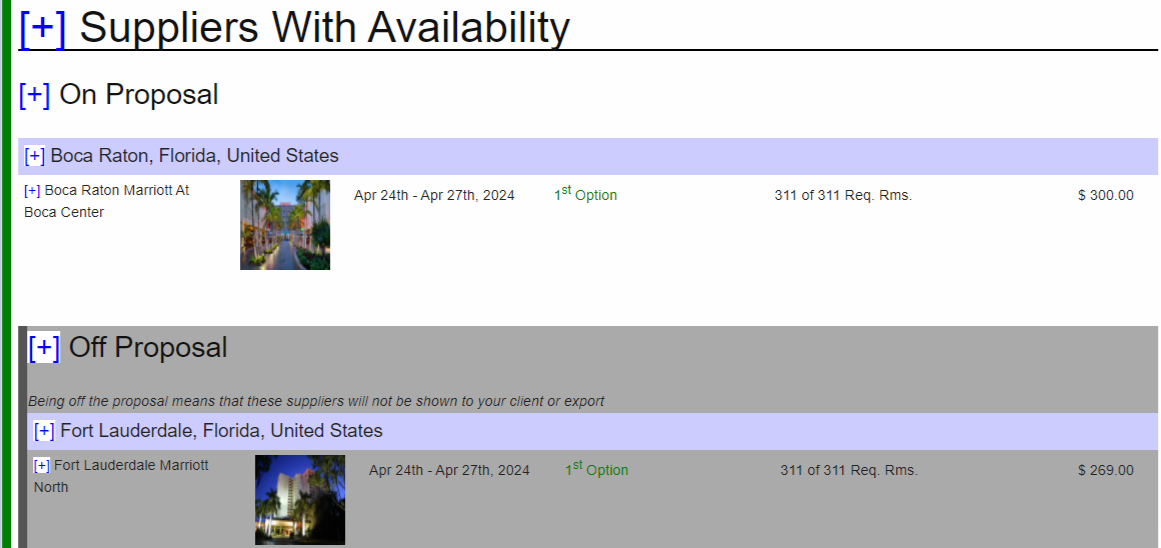
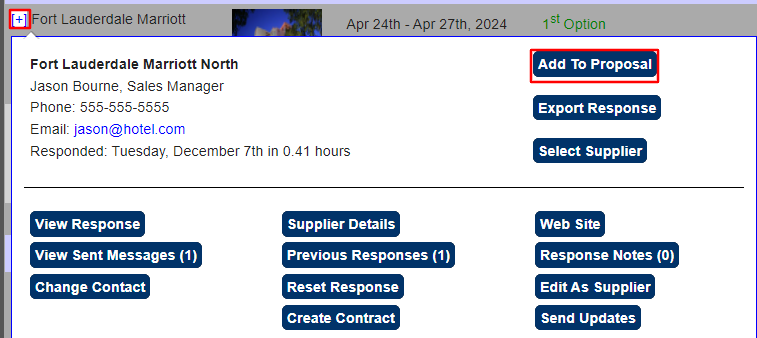
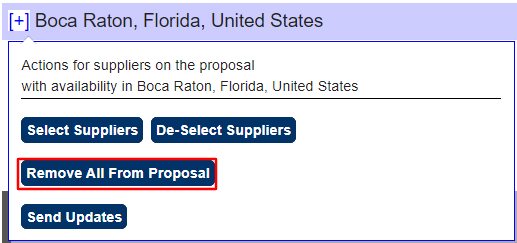
Click + for a supplier or a location to move the responses ON or OFF proposal.
 |
 |
Proceed to Comparison Reports or Export Responses for next steps.
Comments
0 comments
Article is closed for comments.