
From the home page, locate the RFP and select Responses to reach the Proposals tab.
Select Export Responses button to export information to Excel.
Check or uncheck the options to be included in the report and select Export.
Save the spreadsheet to your computer.
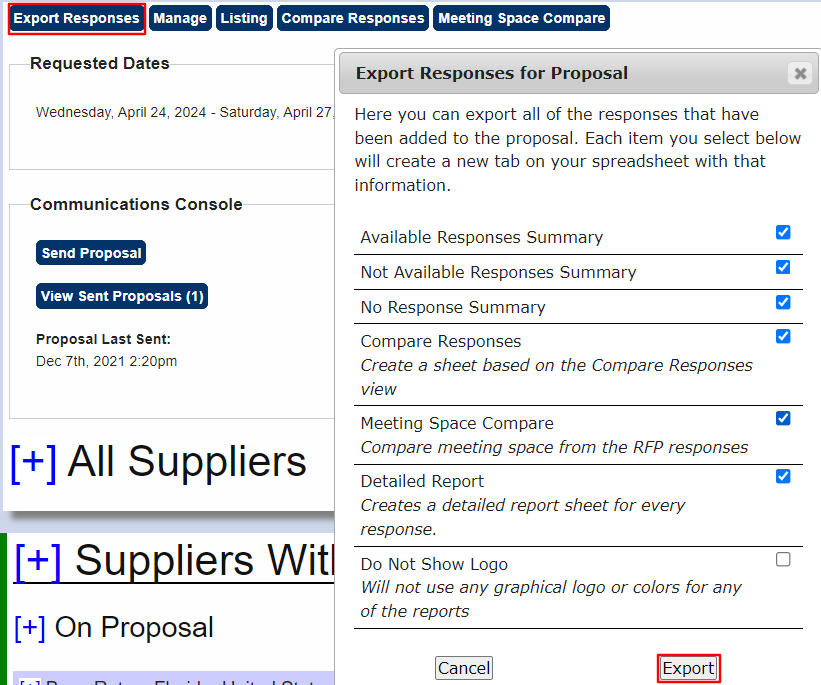
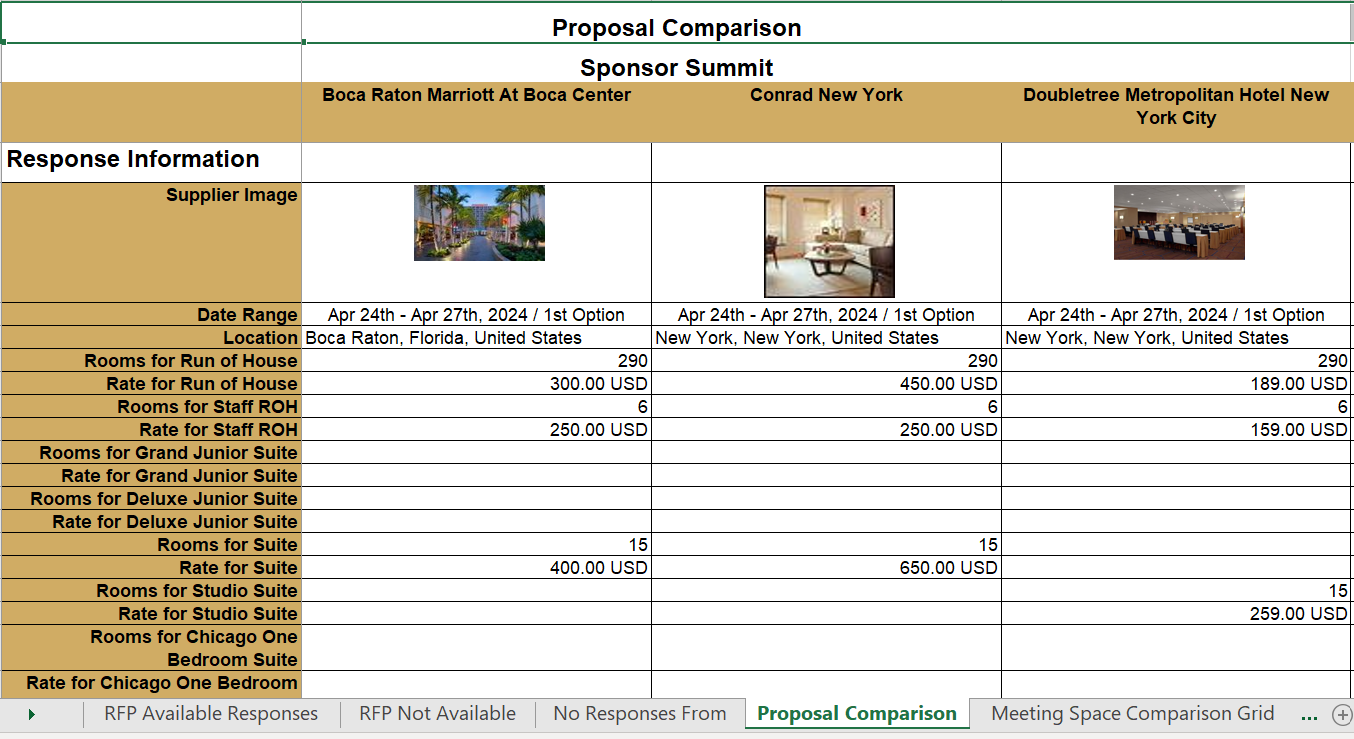
The spreadsheet will have a tab for each option selected in the export:
- Available Responses
- Not Available
- No Response
- Proposal Comparison
- Meeting Space Comparison
Refer to Responses On or Off Proposal for instructions on adding/removing properties from these reports.
Comments
0 comments
Article is closed for comments.