
From the home page, locate the RFP in the listing and select Responses to reach the Proposals tab.
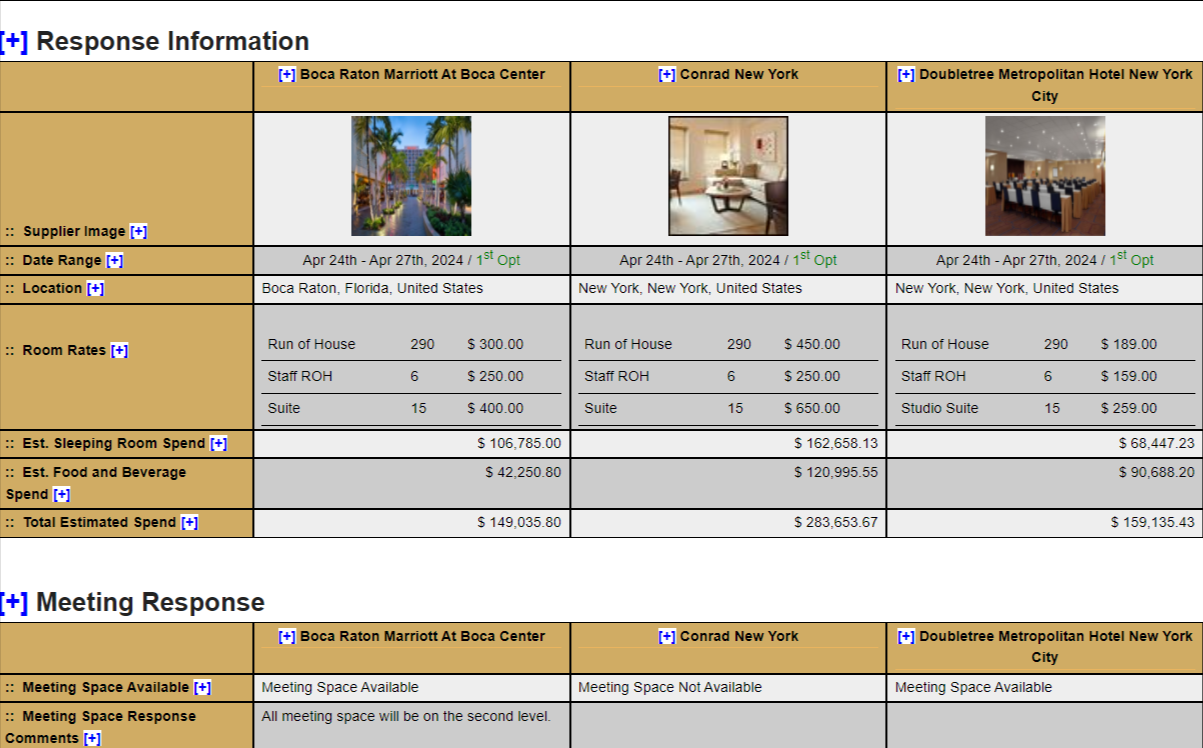
To view the Side by Side Comparison report, select Compare Responses.


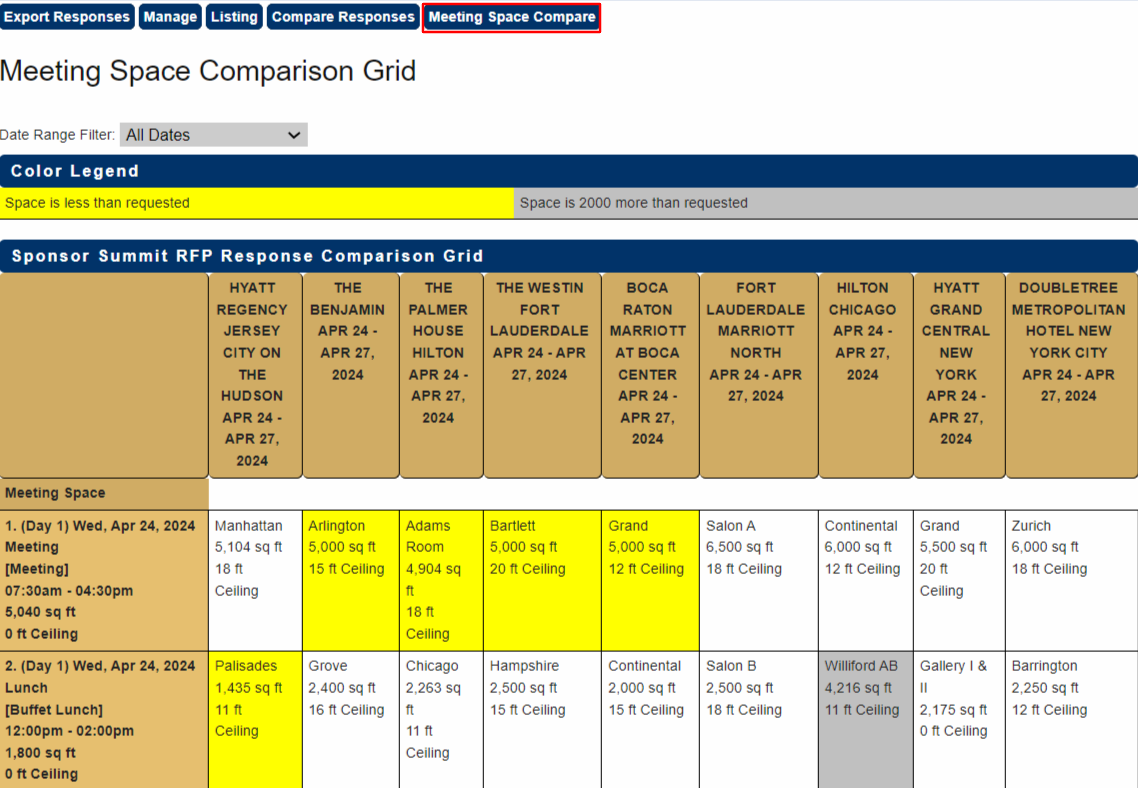
Select Meeting Space Compare button for a side-by-side comparison of meeting room assignments.
Rooms highlighted in yellow are smaller than the space requested in the RFP.
Rooms highlighted in gray are significantly larger than the requested space.
Proceed to Export Responses to download these reports.
Refer to Responses On or Off Proposal for instructions on adding or removing responses from this report.
Comments
0 comments
Article is closed for comments.