
The Pages are the content displayed within each Menu tab on your registration site. Notice, the SITE tab allows you to view the Registration Site you are creating throughout the creation process. NOTE: If you have created a NEW MENU tab, you will also need to select NEW PAGE here in this section and assign it to the new Menu tab you just created for your page to display on the PAGES TAB.
SET UP TAB -> PAGES
Once you select the PAGES tab, you have the ability to edit the content within each page by selecting the EDIT icon under the Action column.
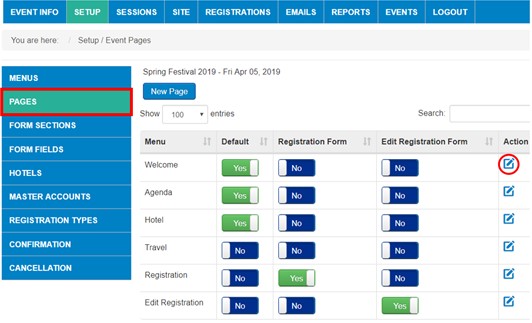
By selecting edit, a PAGE TEXT box is displayed that allows you to enter and format the content on each page. Below is the Welcome page content editor in our Registration Site example. Be sure to SAVE or SAVE and CLOSE your changes each time:
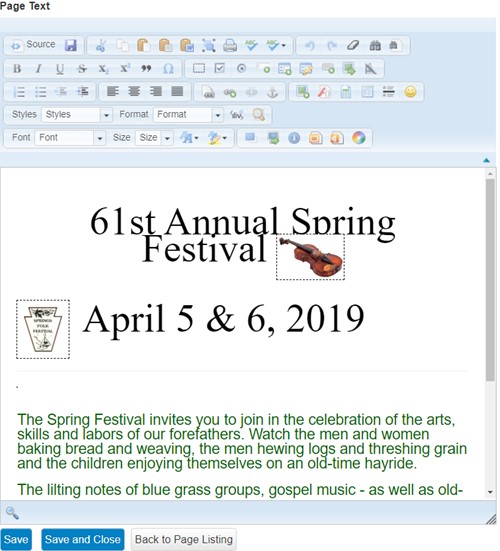
The content here when saved is what will display on the correlating tab you edit, as shown in example site below:

Once you have created all of your Pages except REGISTRATION page, you can go on to the next step - Set-Up / Edit Registration FORM SECTIONS
Comments
0 comments
Article is closed for comments.