
How to accept the new Meeting Request and create an RFP in ME Sourcing.
From the home page, select Requests tab then View the Request.
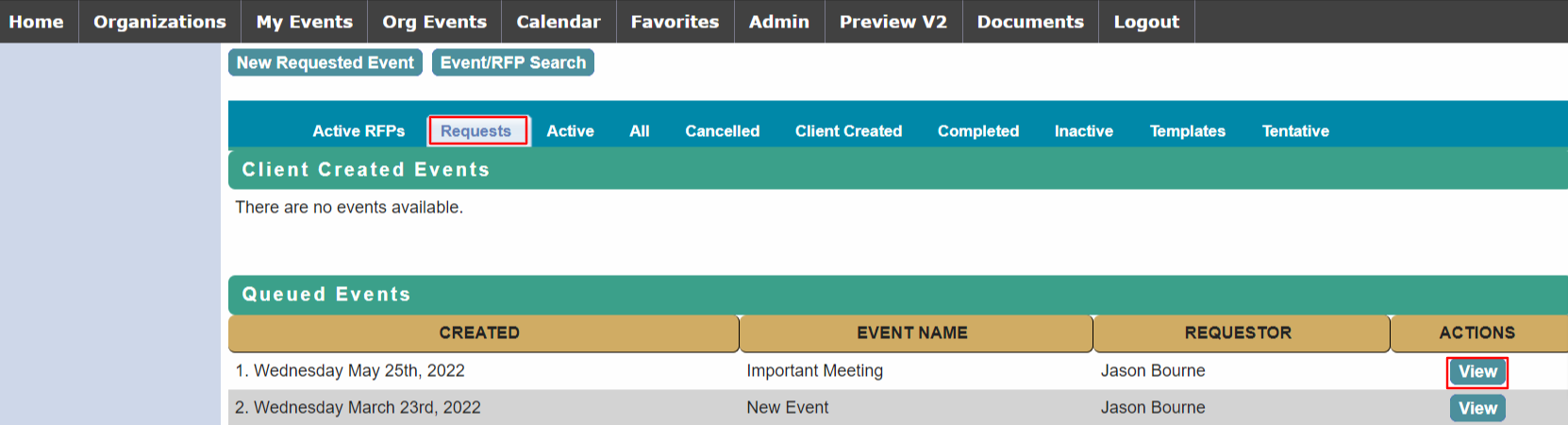
The first time a user submits an event request, you will need to add them to a department before you can accept the request.
Select the Requestor tab and select Add to Organization.
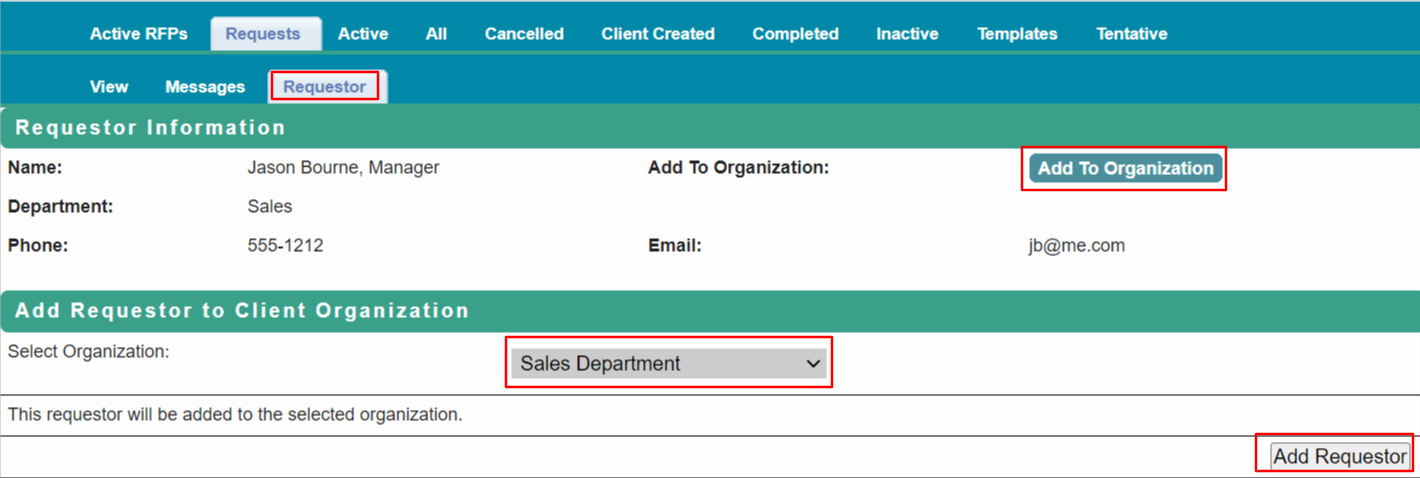
The Add Requestor to Client Organization section will appear – find the Company Department or Client Organization in the dropdown list and select Add Requestor.
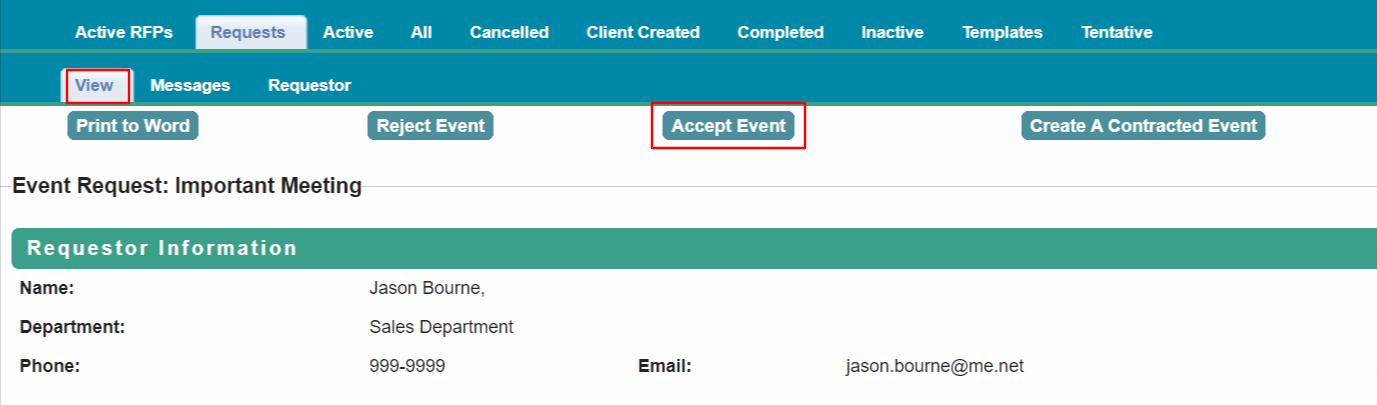
Return to View the Request. Select Accept Event to create the RFP.
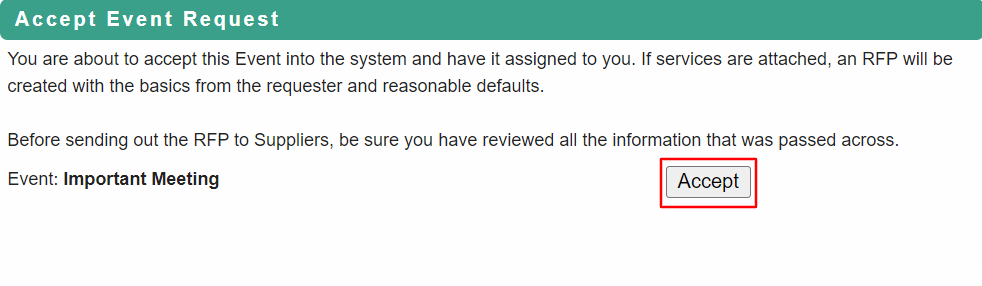
Proceed to Requested Event Record for next steps.
Comments
0 comments
Article is closed for comments.