
Instructions for the RFP Information Page step.
The RFP will be created and pre-populated with information from the Requested Event Record and the Meeting Request. Use the RFP Checklist to review and update each step.
From the home page, select RFP to view or select View RFP from the page below to proceed.

RFP Checklist - RFP Information Page
Review and update each step of the RFP Checklist to build your RFP.
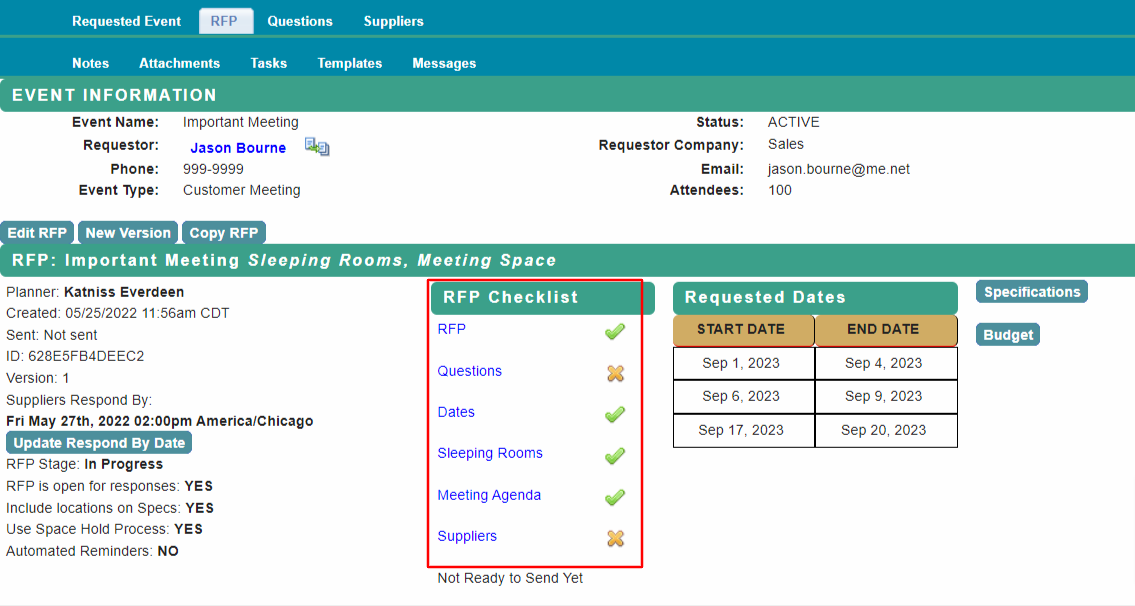
RFP Checklist Step 1: RFP Information Page
Select RFP from the RFP Checklist.
Update the RFP Information Page.
The Important to Client, Accessibility Needs and Purpose of Meeting sections are required – this information is shown to the suppliers on the RFP Specifications.
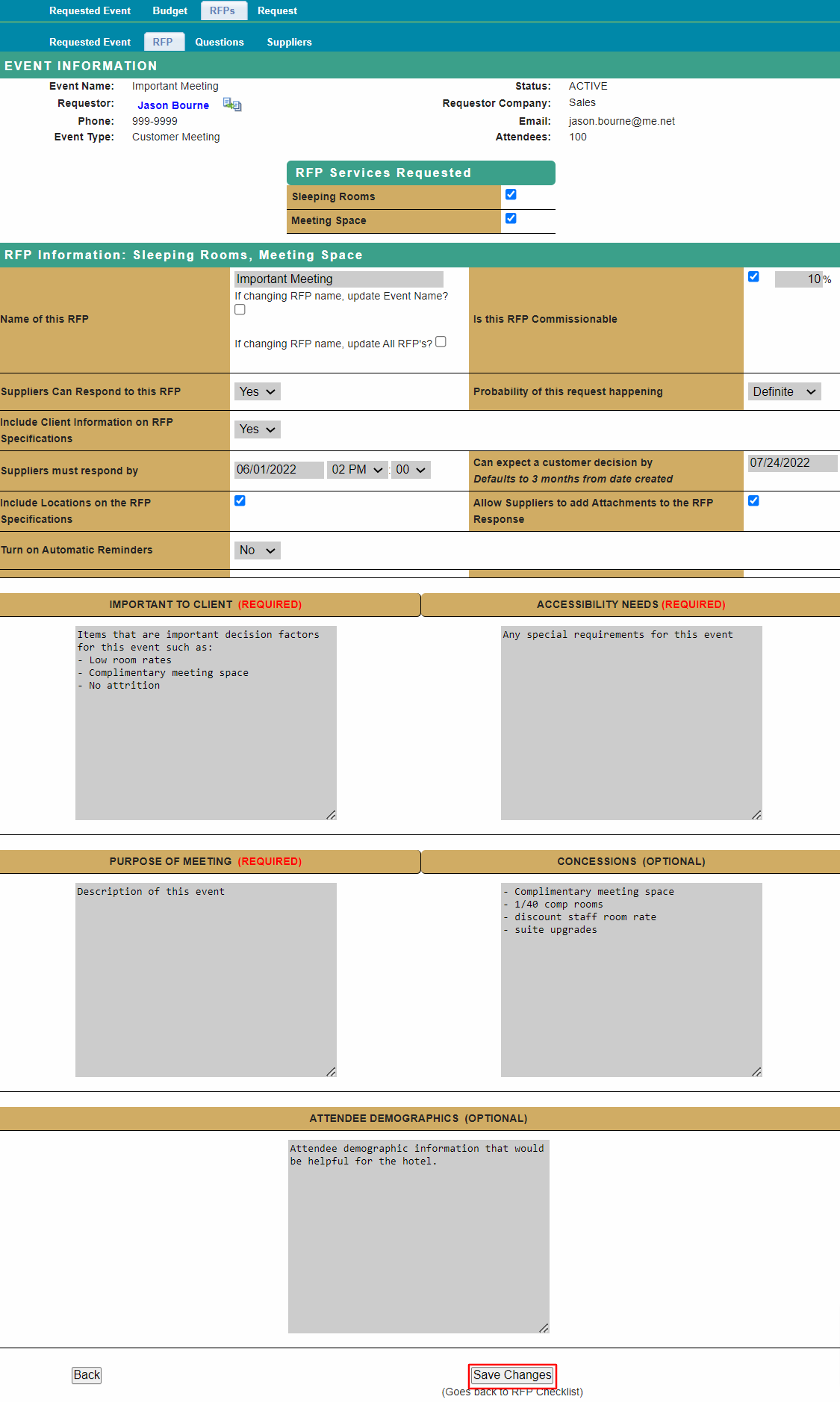
Save Changes at bottom of page when complete.
Proceed to RFP Checklist - Questions for next step.
Comments
0 comments
Article is closed for comments.