
RFP Checklist - Dates Step
From the home page, select RFP, then select Dates from the RFP Checklist.
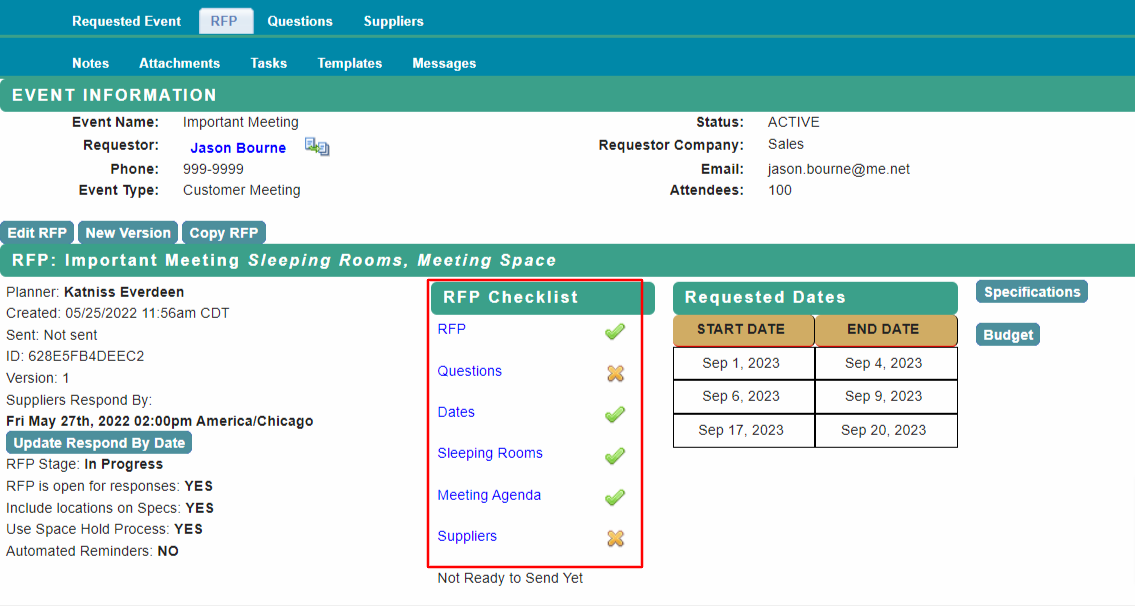
Review and edit the dates page.
Select if you want to allow suppliers to propose Alternate Dates or not. You can provide additional information to suppliers in the Date Range Comments section.
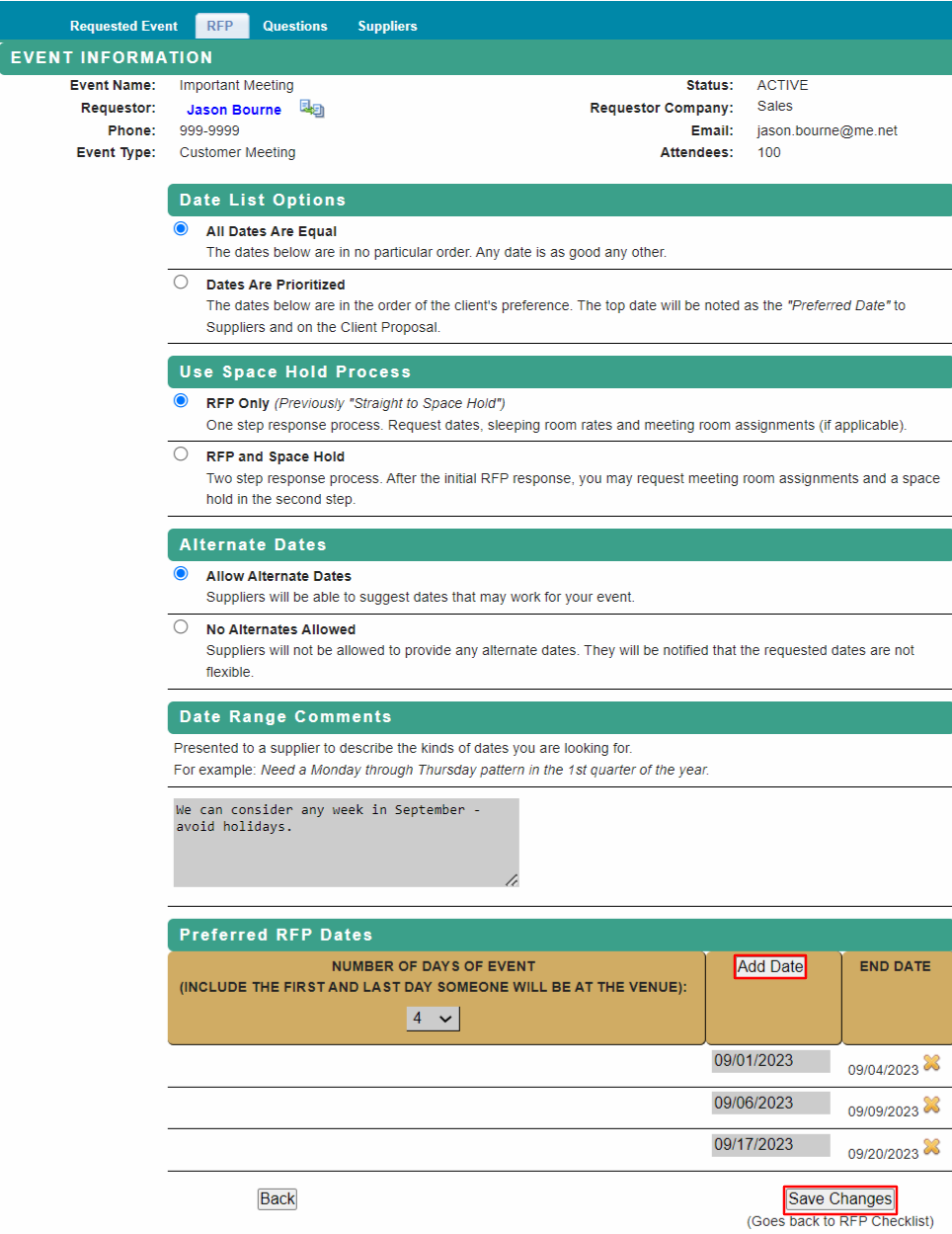
Use the Add Date button to select additional dates.
Select Day 1 of the new date range on the calendar, the end date will populate based on the number of event days selected.
Save Changes to return to RFP Checklist.
Proceed to RFP Checklist - Room Block for next steps.
Comments
0 comments
Article is closed for comments.