
Now that you have created Form Fields on the set up Tab, below is the third step for setting up your form to completion. Notice, the VIEW FORM tab allows you to view the form you are creating throughout the creation process.
SET UP TAB -> STYLE TAB
Create the look of the Form page in the Style Tab. Click on each COLOR to select the Background and Section banner colors as well as DOWNLOAD the image that will display at the top of your form. (Please note the recommended size of the image as 1000px wide by 200px high)
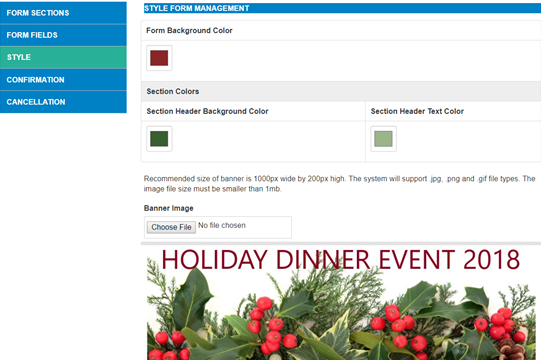
This is what the example Form looks like from the color and banner selections above:
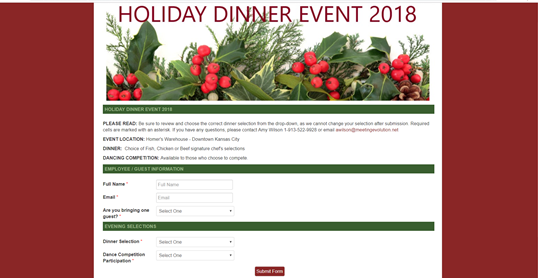
Once you have created the style of your form, you can go on to the next step - Create Confirmation Email
Comments
0 comments
Article is closed for comments.