
RFP Checklist - Sleeping Room Block instructions.
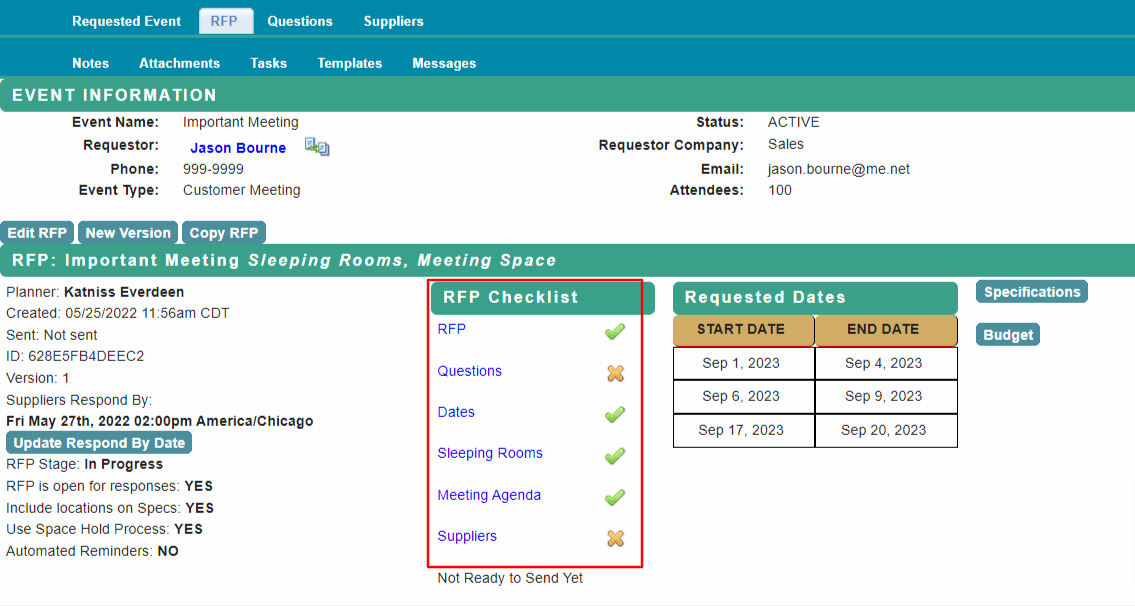
From the home page, select RFP then select Sleeping Rooms on the RFP Checklist.
The room block from the meeting request will be shown. Edit if needed.
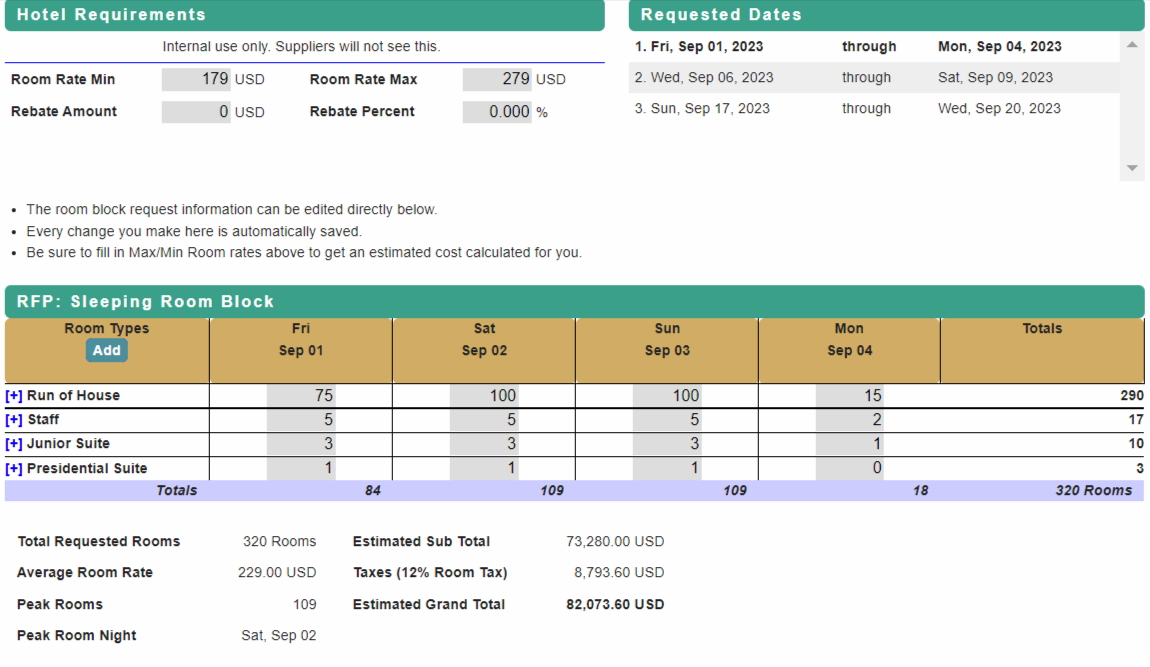
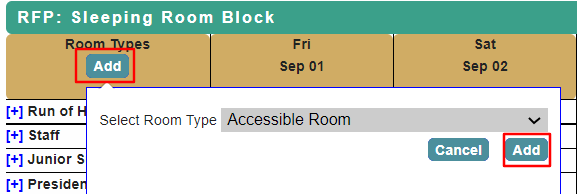
Use Add to add a new room type or select + to change a room type.
Select the new room type from the drop down list and Add.
All changes are saved automatically. Return to RFP Checklist when complete.
Proceed to RFP Checklist - Meeting Agenda for next steps.
Comments
0 comments
Article is closed for comments.