
RFP Checklist - Supplier Search Instructions.
From the home page, select RFP then select Suppliers from the RFP Checklist.
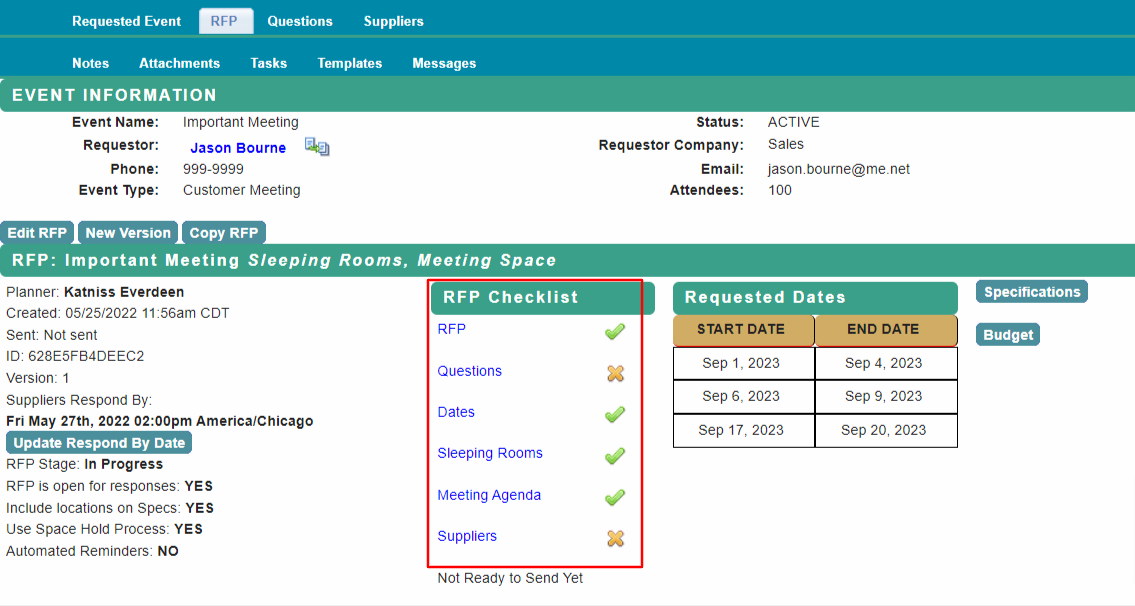
Location Search
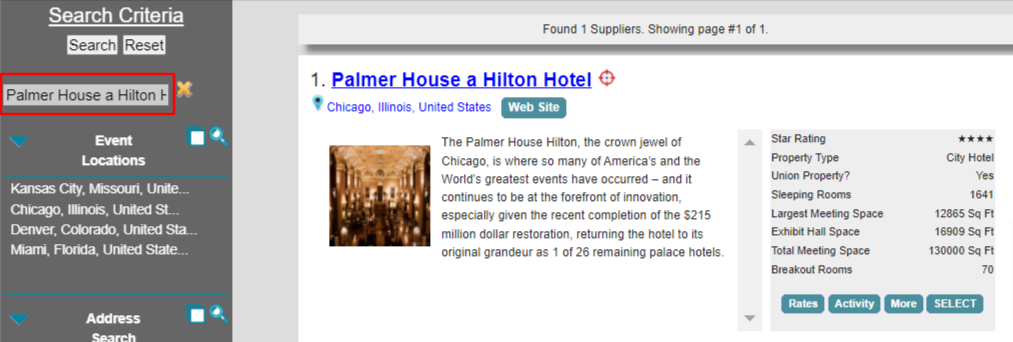
Select a city in the Event Locations search. Your search results will show properties large enough to accommodate your RFP based on the Peak nights room block and largest meeting room needed.
Use the Select button to add the supplier to your RFP.

Search by Property Name
Type the property name in the Supplier Name or ID field and Search
Address Lookup
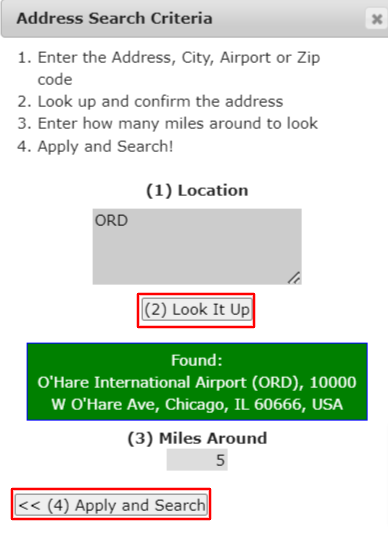
To find suppliers near a specific location, select Address Search.
|
Enter a street address, city, airport code or zip code in the Location field Select Look It Up The GPS coordinates of the location will be used for the search radius. The default search will be for properties within 5 miles of the selected location. Select Apply and Search |
 |
Additional suppliers can be added to the RFP at any time.
Select Send RFP Review Page to complete the RFP Send process.
Refer to Send the RFP for next steps.
Comments
0 comments
Article is closed for comments.