
If event registration will close after a certain date and no new registrations will be accepted after the deadline, you can set the Last Date to Register as follows:
Select the Event Info tab and update the date in the Last Date to Register field.
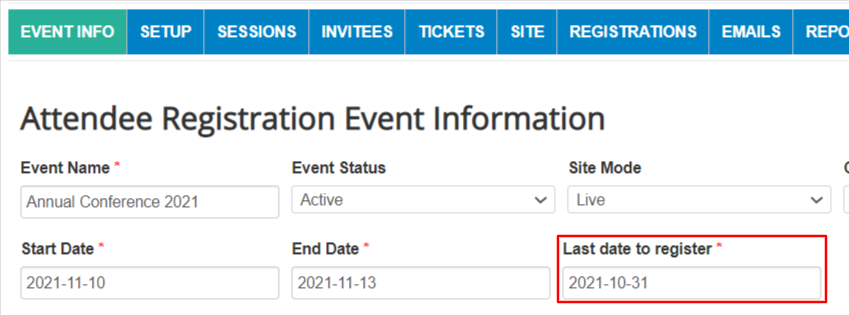
Save changes at the bottom of the page.
The registration site will remain open for new registrants through the end of the day PRIOR TO the last date to register. For example, when the Last Date to Register is October 31st, attendees can register through 11:59 p.m. on October 30th. Registration will close at 12:00 a.m. on October 31st.
After the last date to register, the Registration tab will display the message "Sorry registration for this event is closed." The other pages of the registration site will still be available for participants to view the event information.
You can open or close your registration site at any time by adjusting the Last Date to Register.
Comments
0 comments
Article is closed for comments.