
Begin by clicking on the RFP Response link included in your RFP email. This will open the RFP Response Home Page.
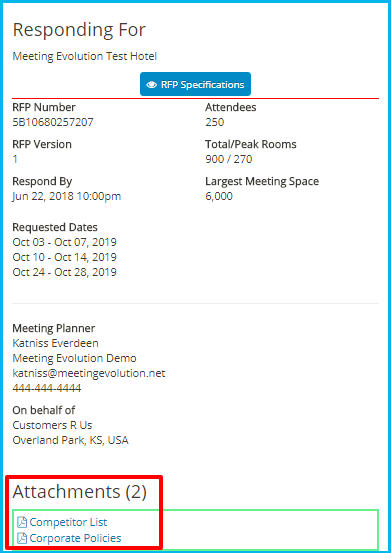
From the RFP Response home page, select RFP Specifications to view the details.
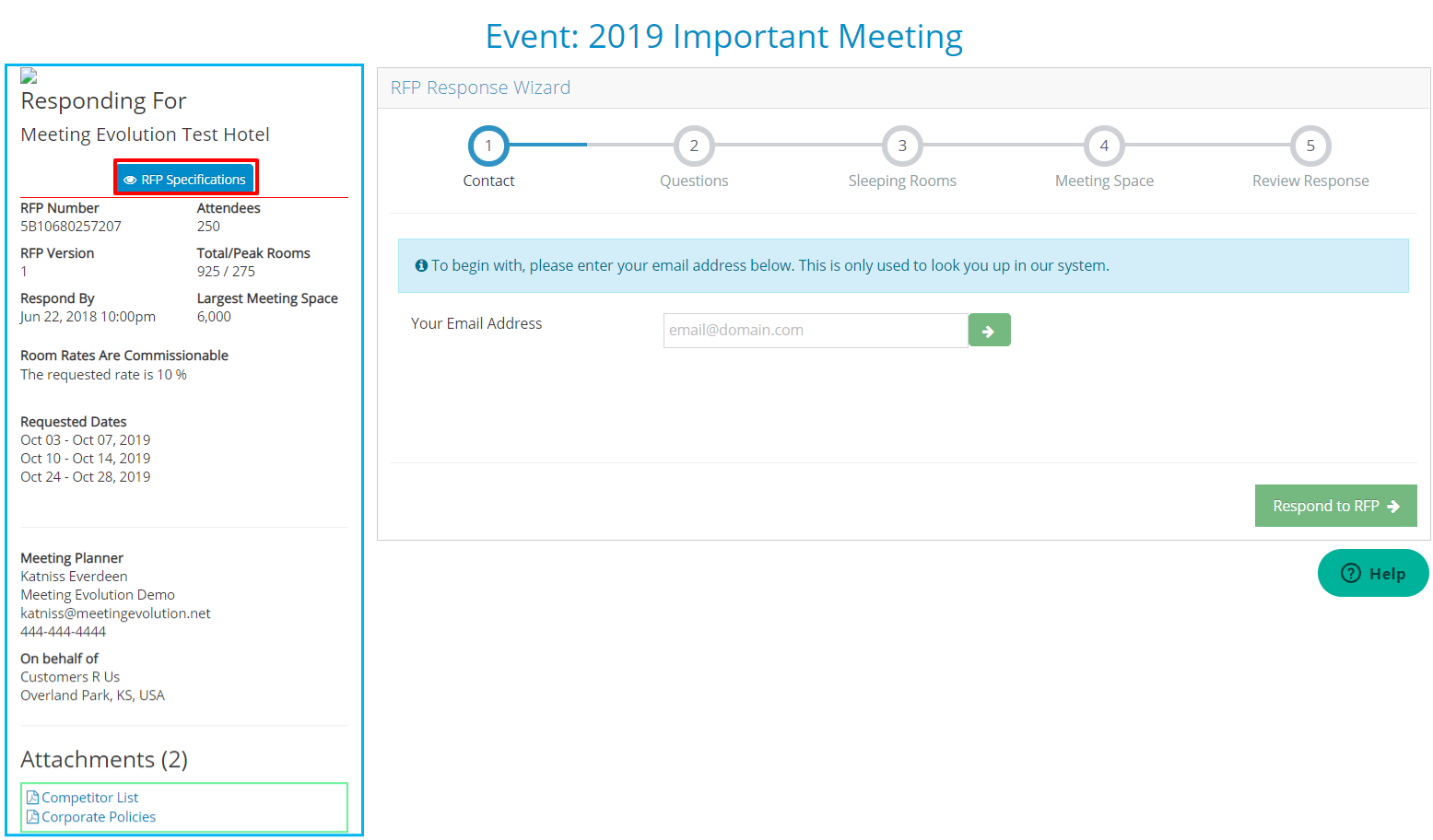
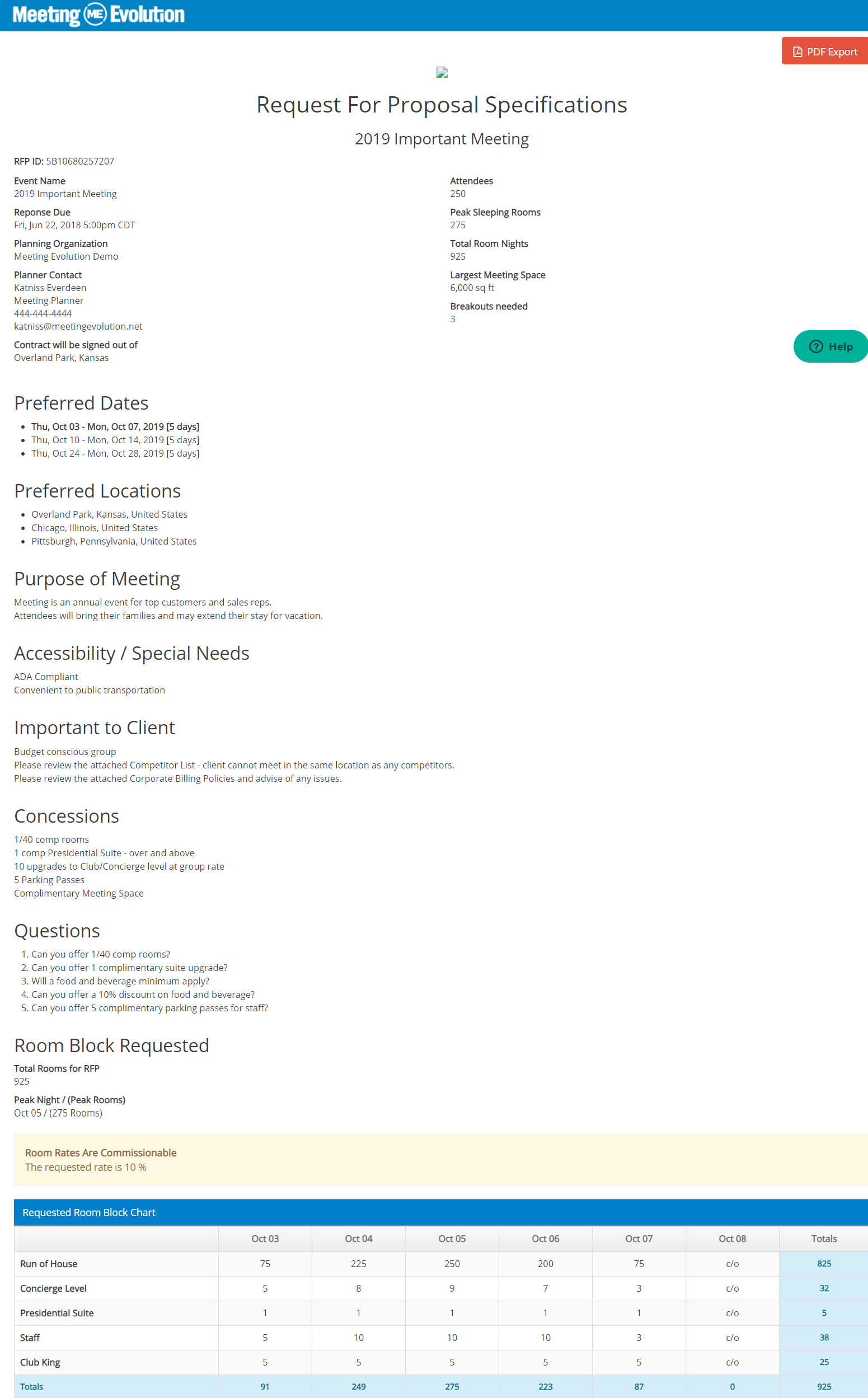
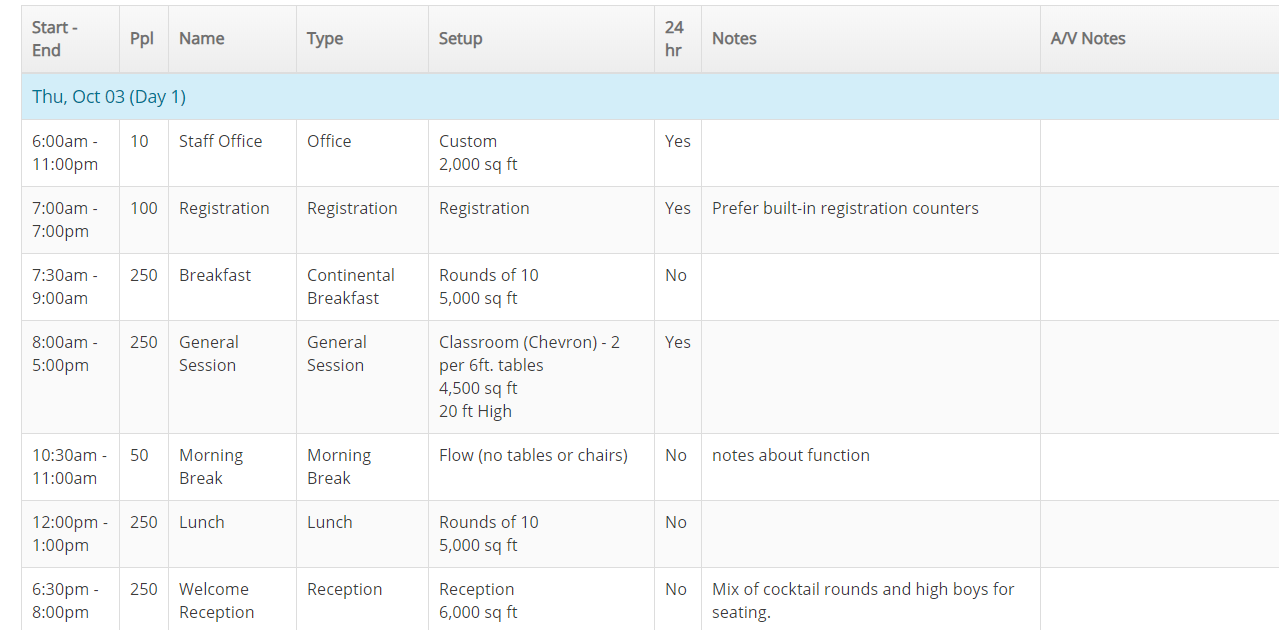
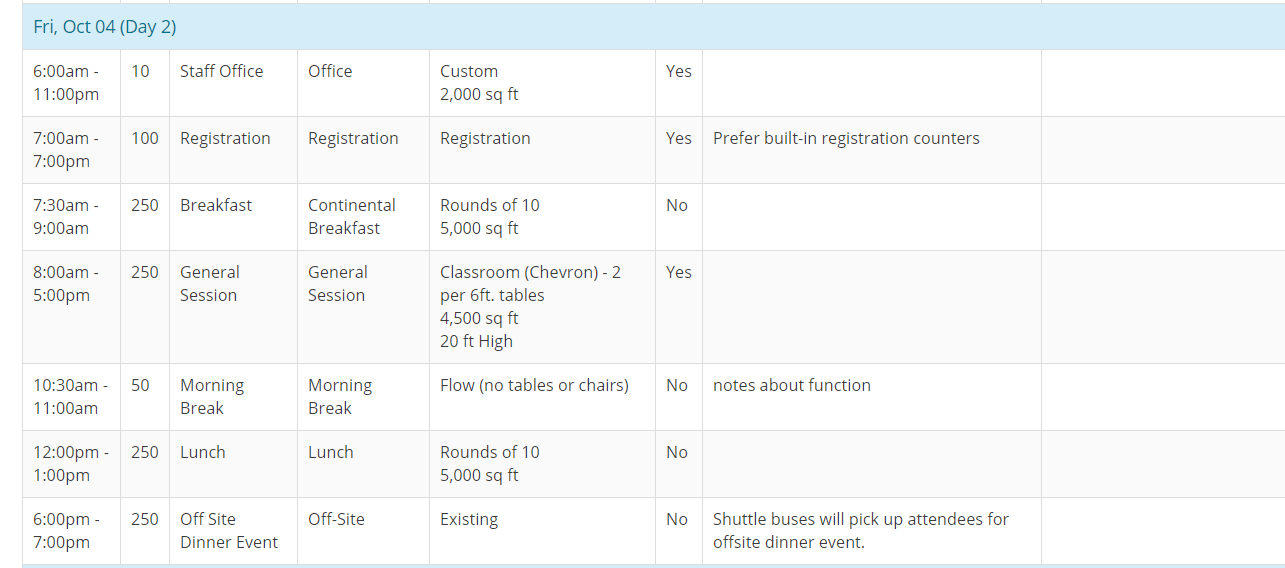
The specifications document will open for you to view the details including Preferred Dates, RFP Questions, Concessions, Room Block Requirements and Meeting Agenda Requirements. Select the PDF Export button to download or print the specifications.

If the RFP includes any attachments, they will be visible on the RFP Response home page. Click on the attachment name to view or download it.
Proceed to Step 1: Contact Information to begin the response.
Comments
0 comments
Article is closed for comments.