
RFP Views
Select the RFP Name to view the responses.
Use the filter buttons at the top of the Suppliers on RFP section to select a response type (Available, Not Available, In Work or No Response).
You can also filter by Supplier Name, Location or Available Response Dates.
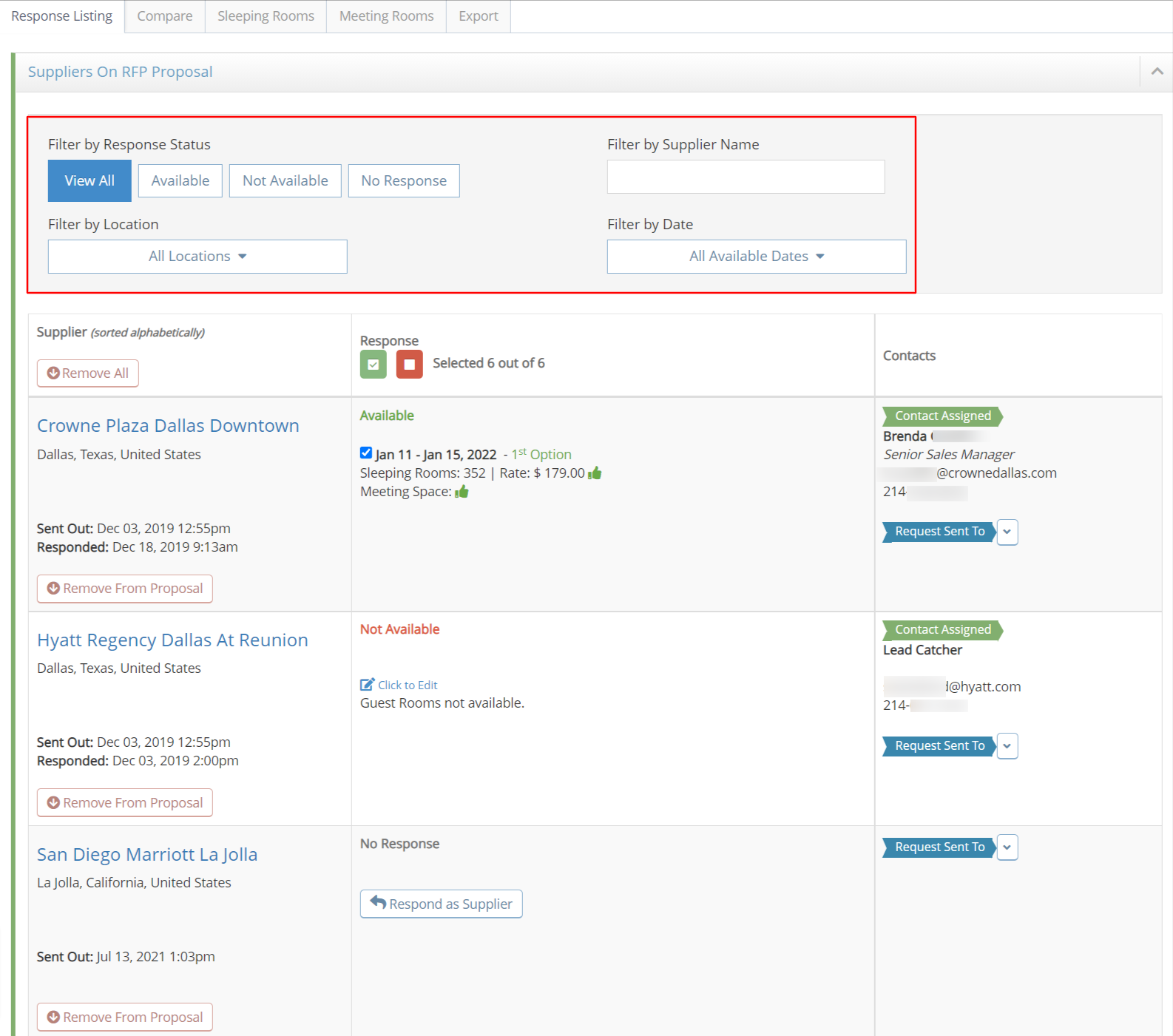
Click on the Supplier Name to review the entire response. Select the Dates tabs if multiple dates are offered.
Meeting room names for each set of dates will be shown if they were requested on the RFP.
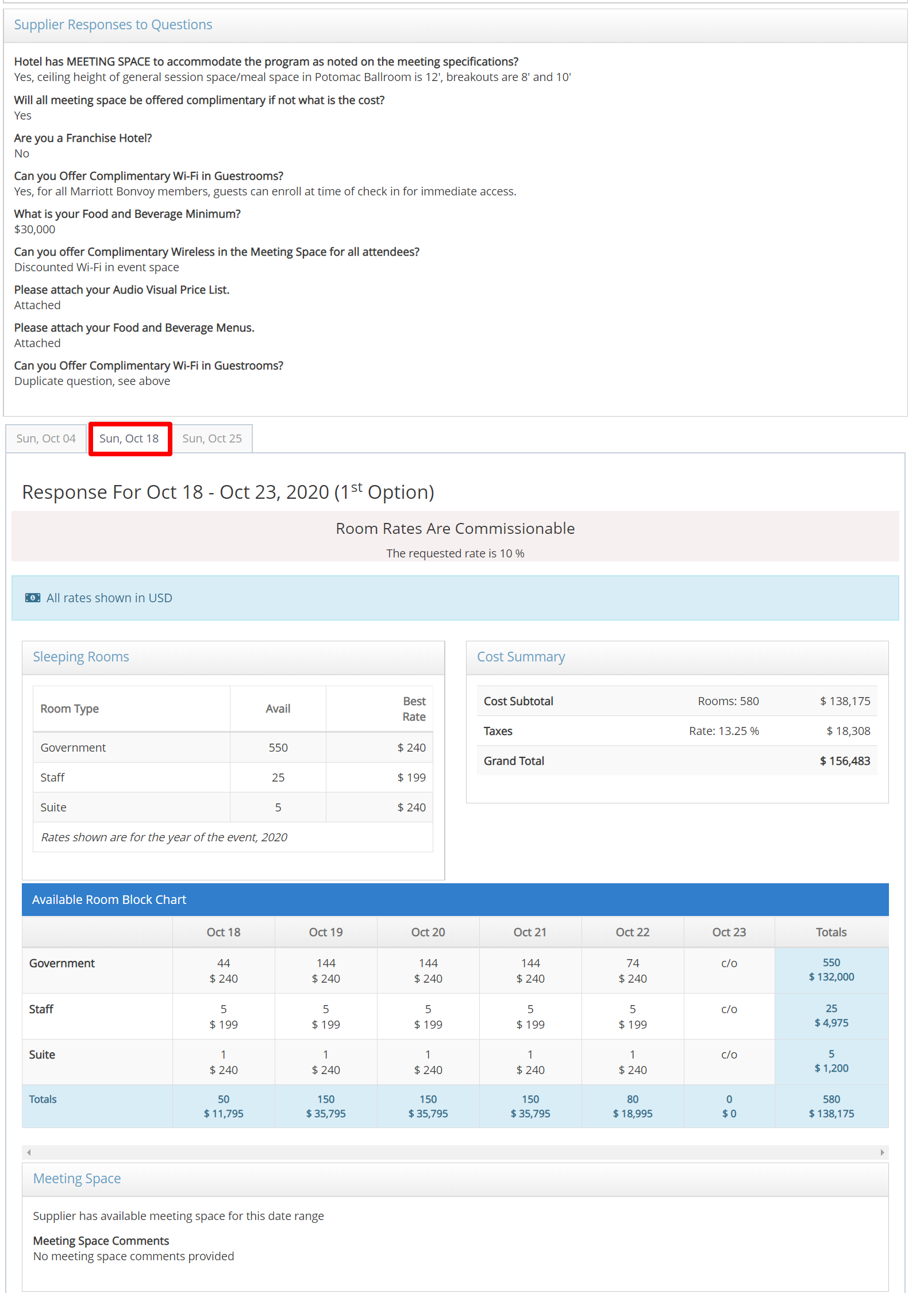
Select PDF Export Response at top of page to download or print the response.
Please contact support@meetingevolution.net for additional help.
Comments
0 comments
Article is closed for comments.