
The Proposal Summary Report report is a high-level executive summary of availability. You have the option to include the RFP Specifications for your meeting requester/client to review.
From the Home Page, select the Response Summary counts at the right to access the Response Listing page.
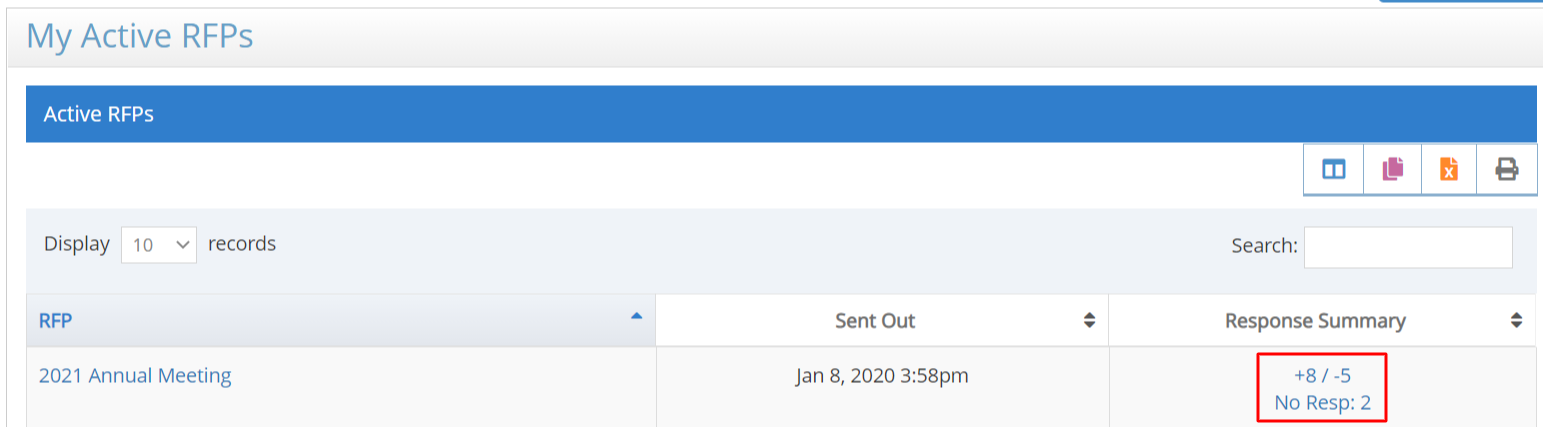
Refer to RFP Response Listing for instructions on selecting responses and moving responses On Proposal or Off Proposal.
Responses must be On Proposal to be included in the report.
Select the Export tab and scroll down to the Proposal Summary section.

This report will always include Available Responses. You can select or un-select the Summary by Location, Not Available Responses, Not Responded, and Include RFP Specs options.
Select Proposal Summary to download the report.
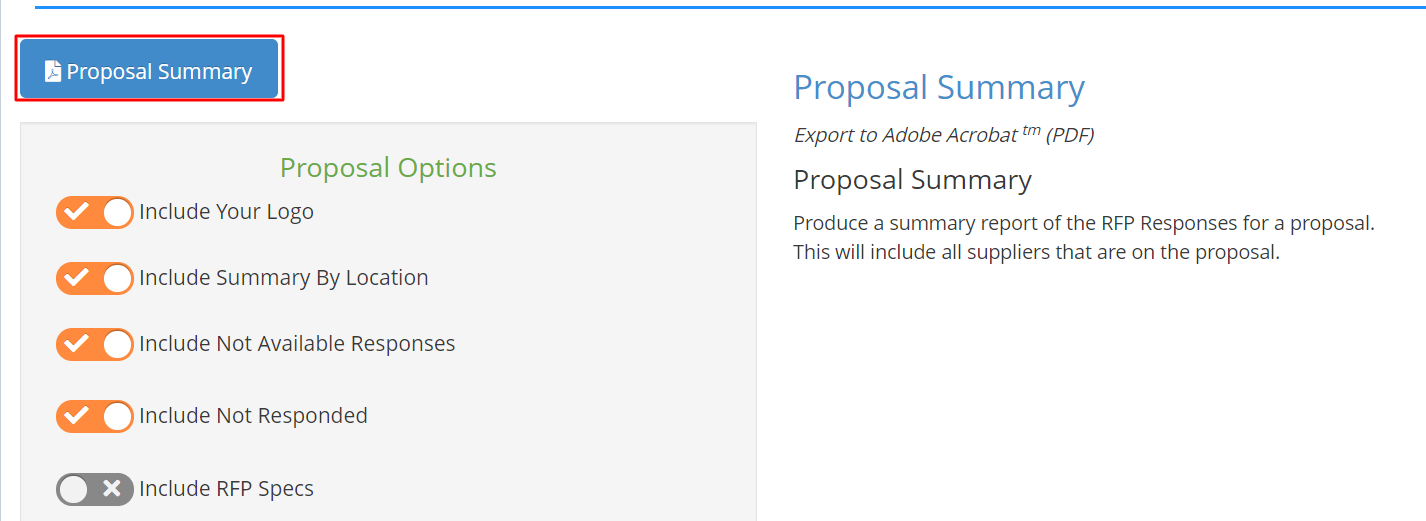
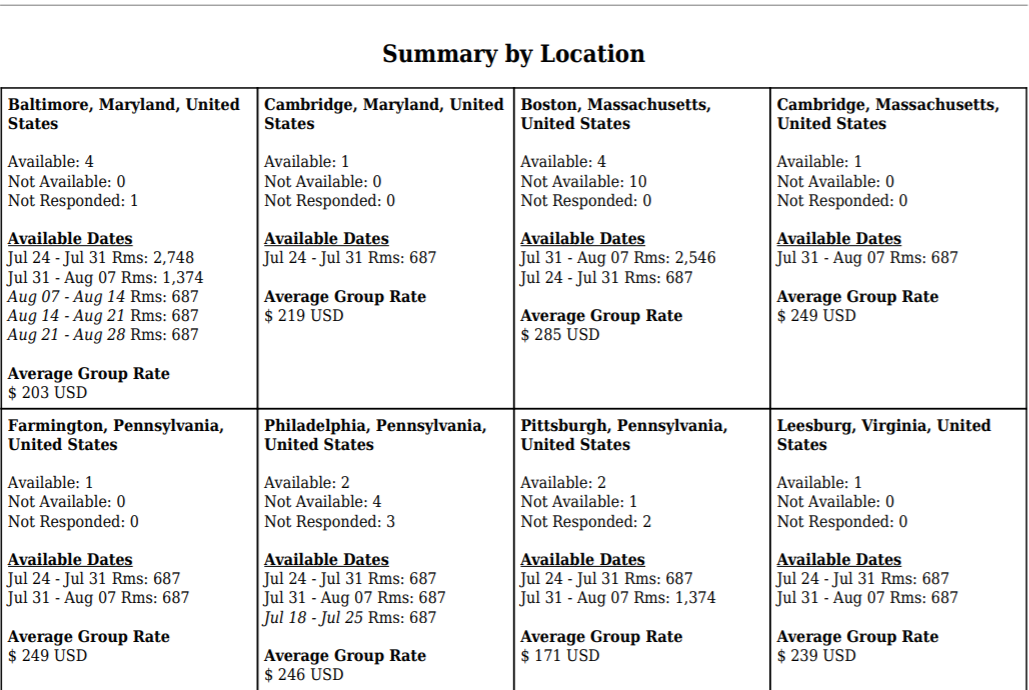
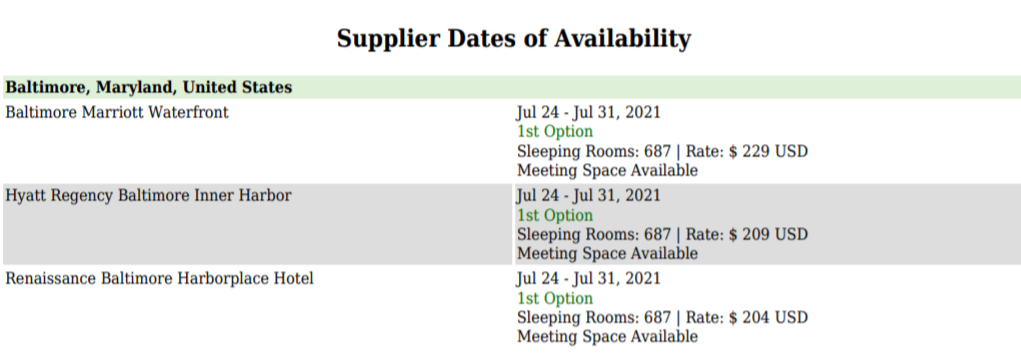
Examples of the report options are shown below:
Summary by Location
Available Suppliers
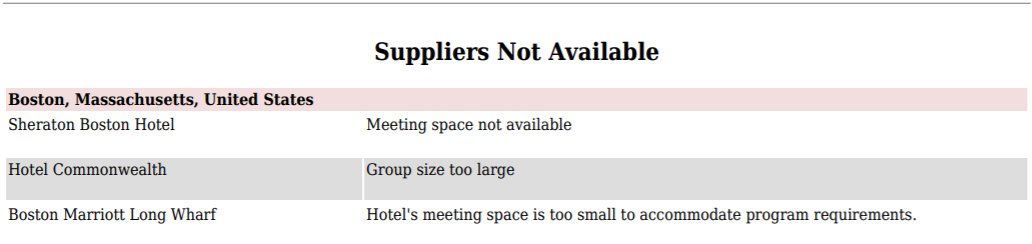
Not Available Suppliers
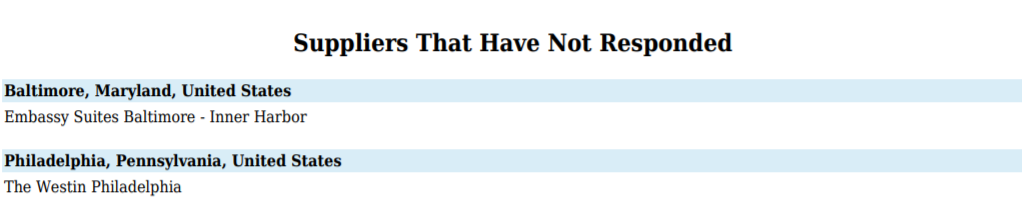
Not Responded Yet
RFP Specifications will be shown after the supplier listings.
Please contact support@meetingevolution.net for additional help.
Comments
0 comments
Article is closed for comments.