
Detailed Room Block and Meeting Space Reports are available for your RFP Responses.
This article covers:
To access these reports from the Home Page, select the RFP Name to begin and select Responses from the left side toolbar.
Refer to Response Listing for instructions on selecting Responses and moving Responses On or Off Proposal.
Sleeping Room Block Report Tab
Select the Sleeping Rooms tab on the Responses page.
The top section of the page will display the Detailed Room Block Grid for each response.
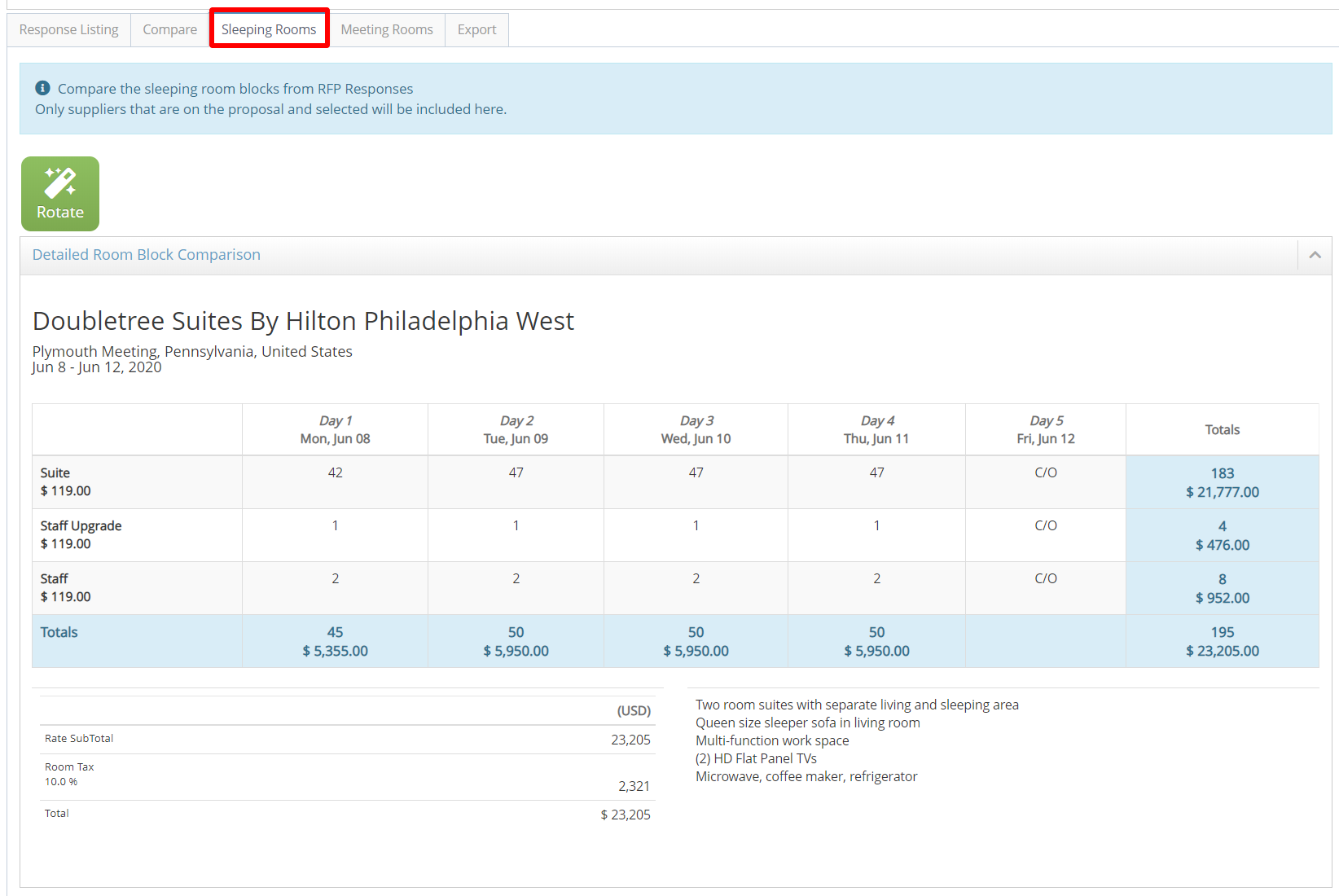
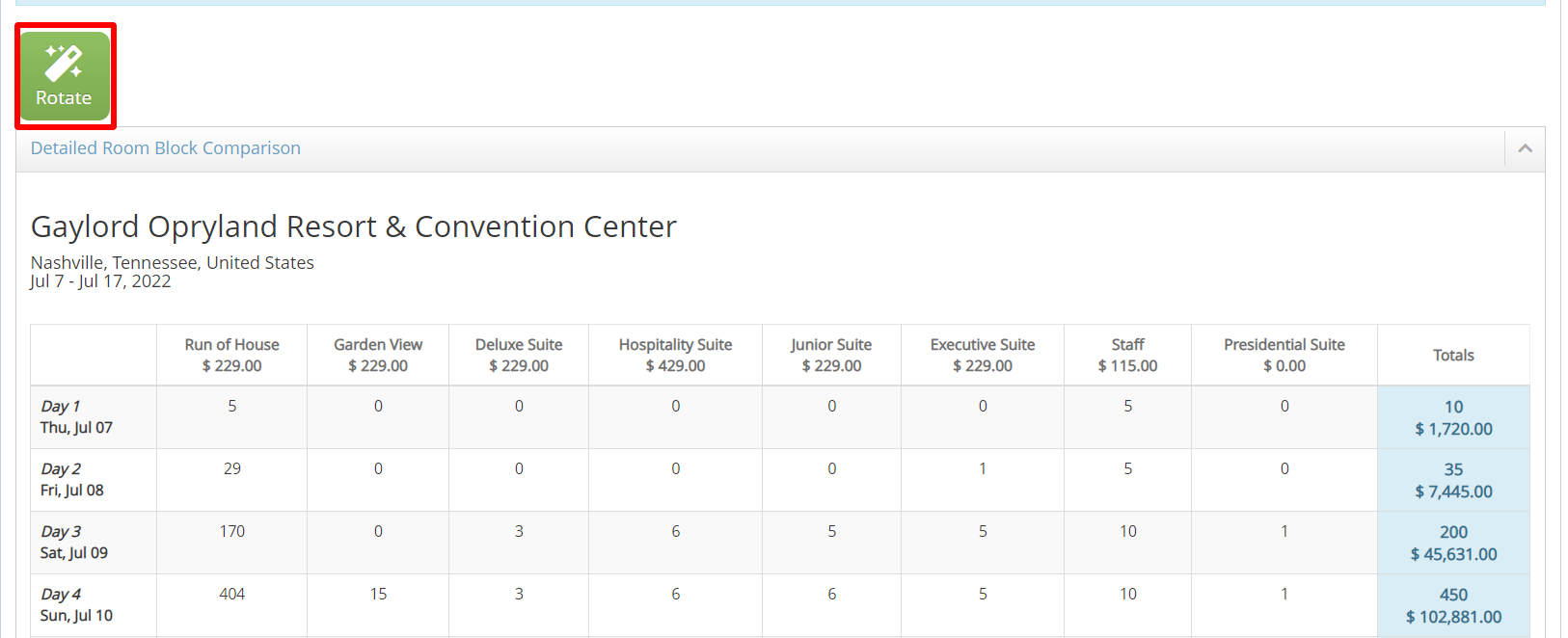
If the landscape view of the room block grid exceeds the width of your page, use the Rotate button to flip the view to a portrait layout.
Room Block Daily Summary Report
The lower section of the page displays the Room Block Daily Summary Report. Responses will be grouped by date to show the total number of rooms available per night of the block.
This report can be used when multiple hotels will be needed to fill the room block.
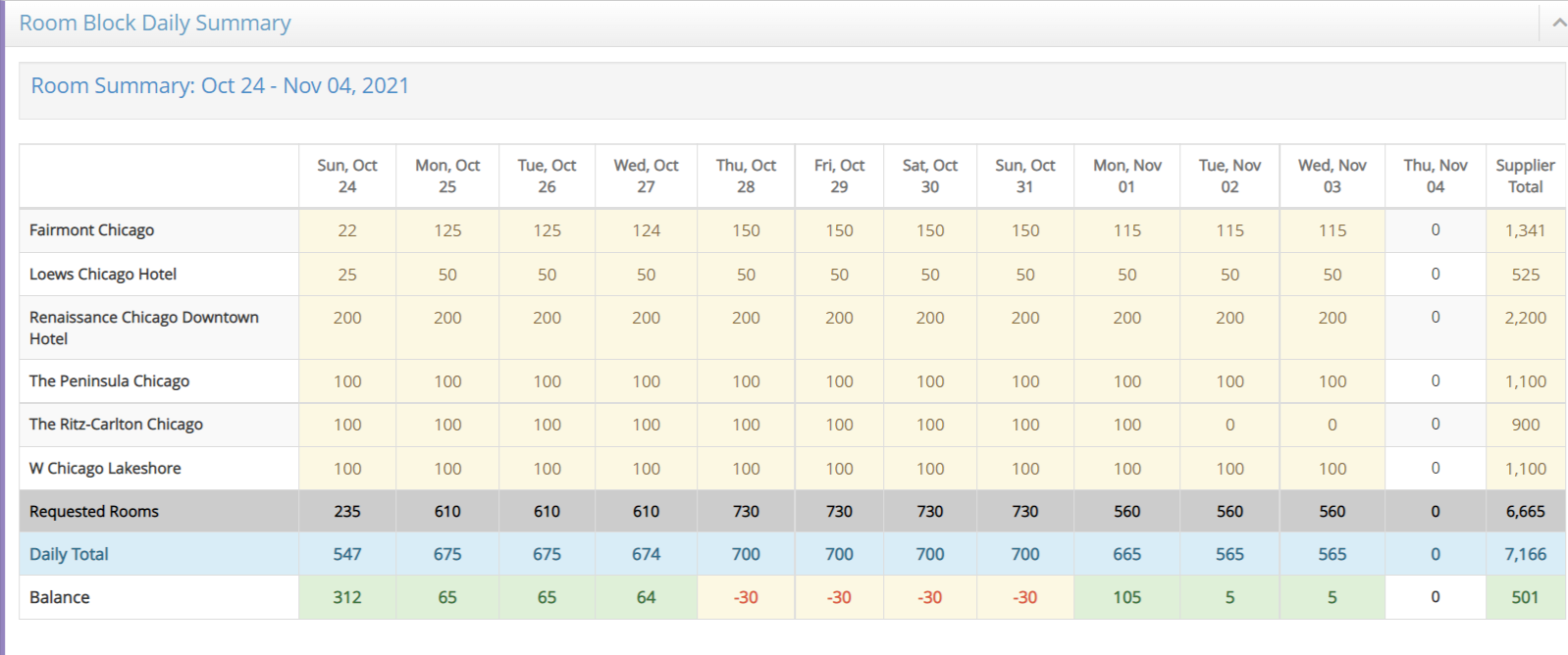
Requested Rooms Row = Rooms requested in the RFP
Daily Total = Summary of the rooms offered for each night
Balance = Shows if enough rooms are offered to fill the block or indicates a shortfall.
Meeting Rooms Comparison Report
Select the Meeting Rooms tab on the Responses page to view the meeting room comparison report.
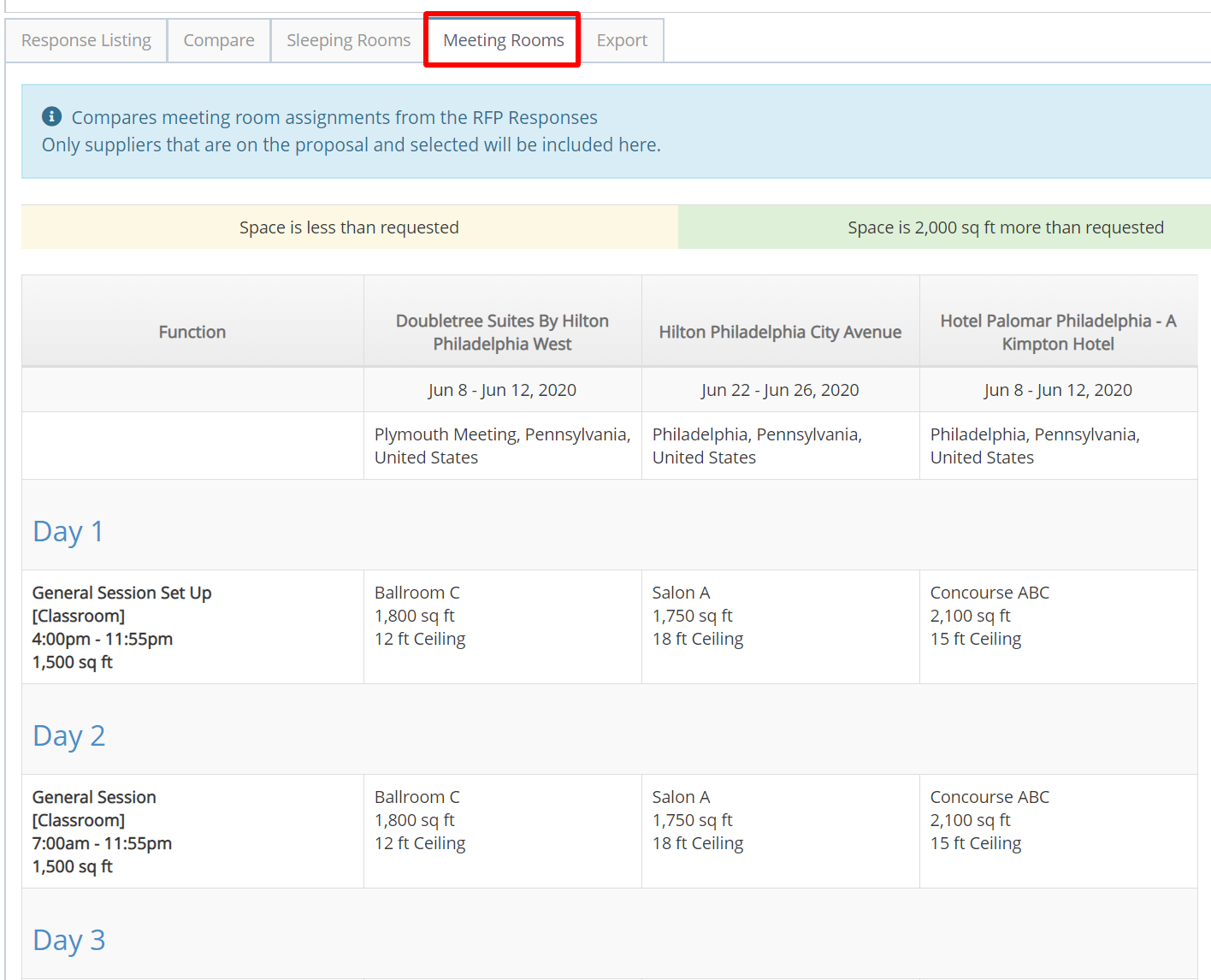
Meeting rooms highlighted in yellow are smaller than the room size requested on the RFP specs. Rooms highlighted in green are 2,000 sq. ft. larger than requested.
If meeting room assignments were not requested in the RFP, this tab will not be visible.
Refer to Export Room Block and Meeting Space to download or print these reports.
Comments
0 comments
Article is closed for comments.