
The following reports are available for export:
- Compare Responses Report
- Available Responses
- Not Available Responses
- No Response
Begin by selecting the RFP Name from the Home Page and select Responses from the left side toolbar.
Use the Response Listing tab to select the properties to be included in your export. Refer to RFP Response Listing for instructions on selecting responses and moving responses On Proposal or Off Proposal.
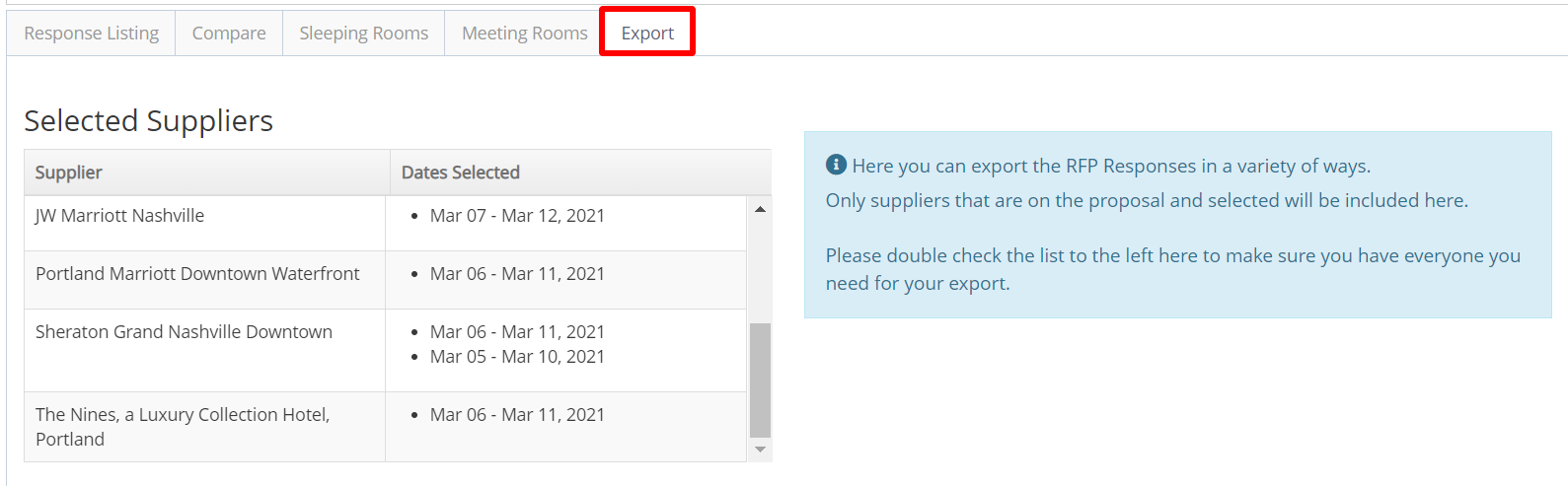
Select the Export tab. All Available responses to be exported are shown in the Selected Suppliers box.
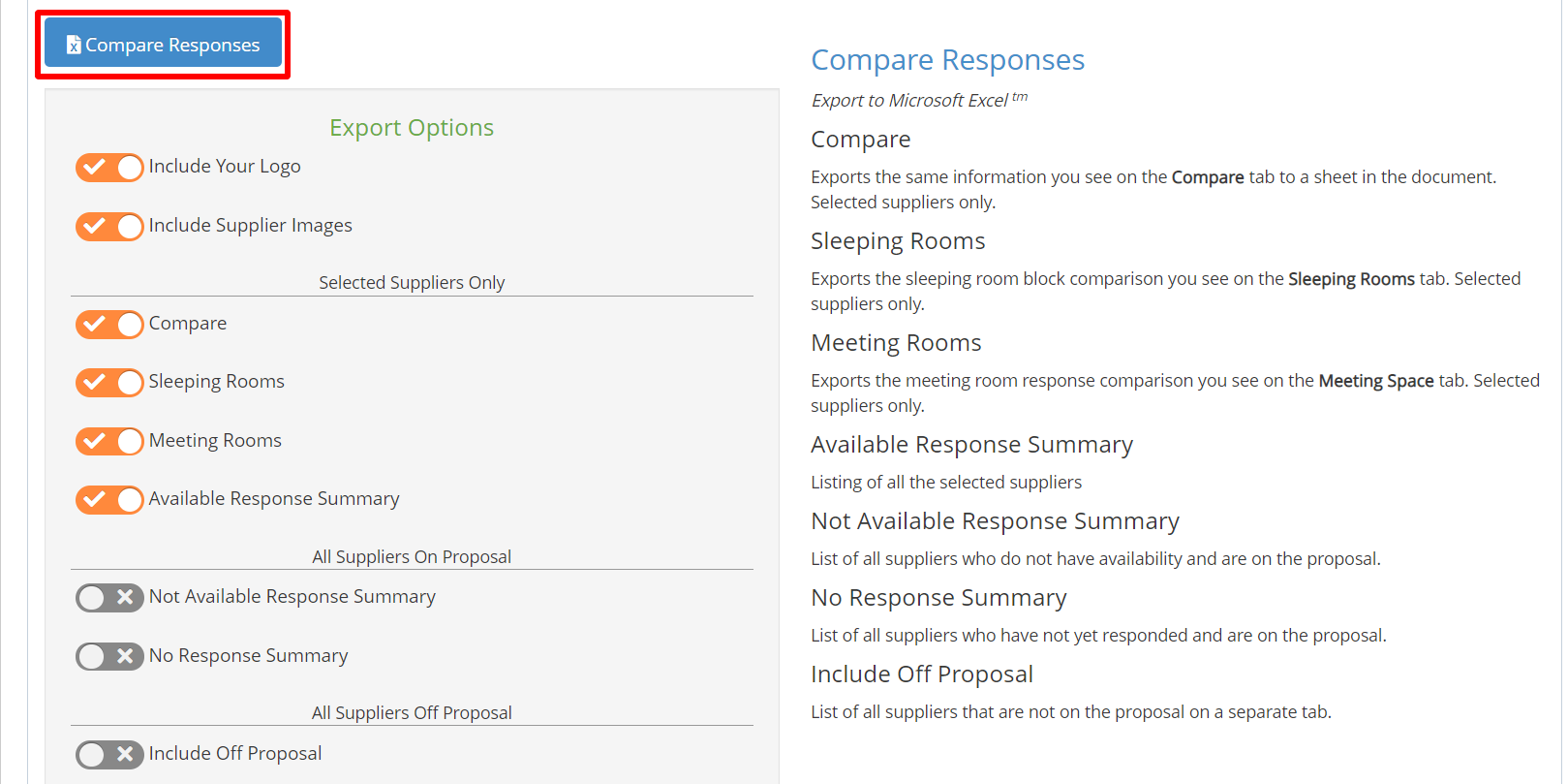
In the Compare Responses report section, select the reports you want to include in your export. Then select Compare Responses to download your report in Excel.
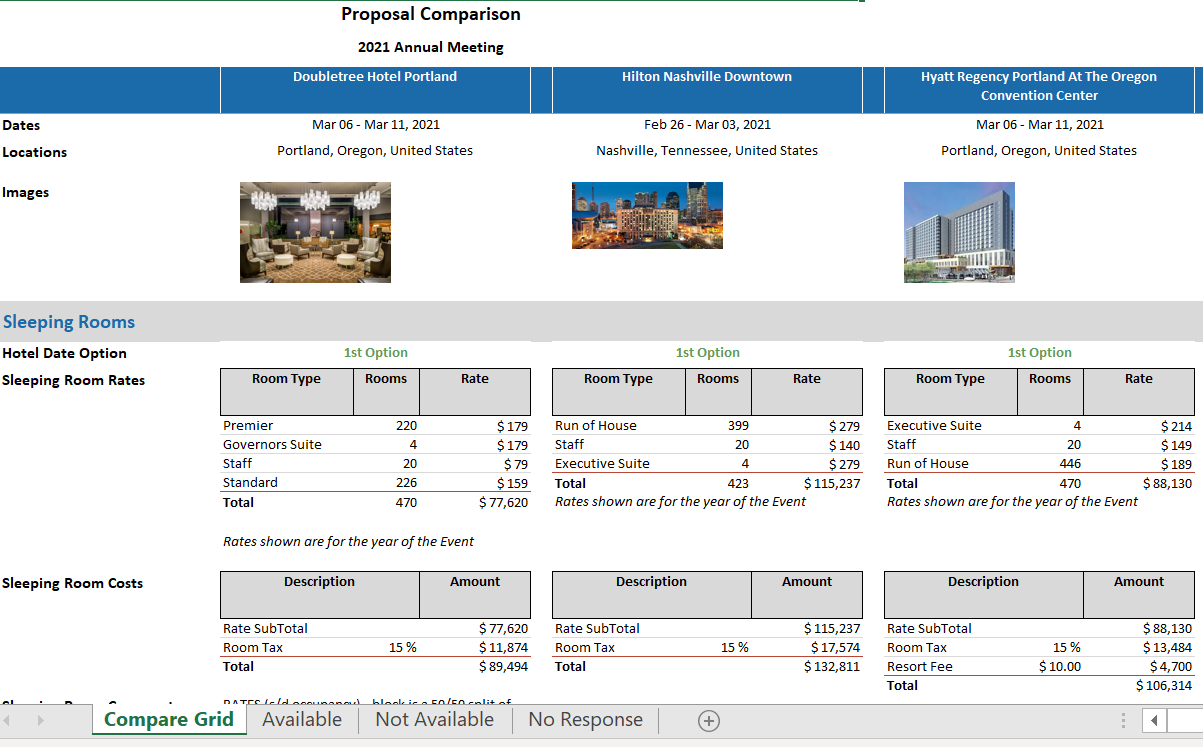
Save your report and open it in Excel. A spreadsheet tab is available for each page of the report.
Comments
0 comments
Article is closed for comments.